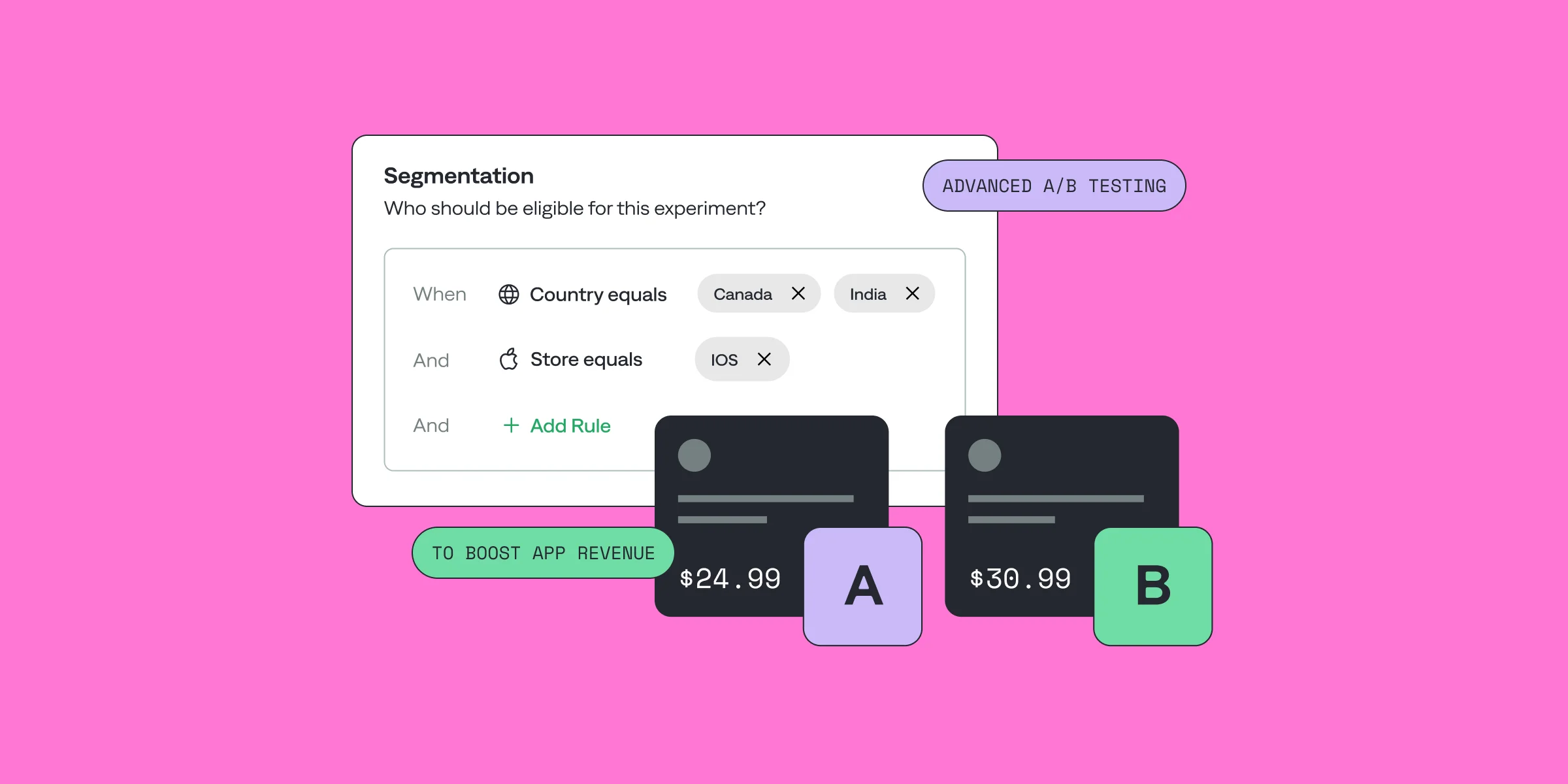
Hey, I’m Maksim, a backend developer at Qonversion. I’ve been working on our A/B testing tool, and it’s been amazing to see how our clients use it to boost revenue and improve their apps.
Today, I want to talk about Segmentation in A/B Testing and show you how to get even more out of this tool.
We recently rolled out Advanced Segmentation, and since I’ve been deeply involved in its development, I figured it’s the perfect time to share why segmentation matters and what you should keep in mind when using it. Let’s dive in!
A/B tests empower app owners to refine every aspect of their app, from enhancing the user experience and sharpening app messaging to identifying the best subscription price. For example, one of our clients used A/B testing to discover the perfect price point, leading to higher conversions and increased revenue. By testing and analyzing user behavior, app owners can make data-driven decisions that drive growth and satisfaction.
What's A/B Testing Segmentation?
A/B testing segmentation refers to the process of dividing the audience for an A/B test into smaller, distinct groups based on specific characteristics or behaviors. This practice allows businesses to conduct more precise and meaningful tests by targeting different segments with variations of a feature, design, or content specifically tailored to their needs or preferences. Why is segmentation so crucial in A/B testing?
The Average User Problem
Imagine you've launched a new paid subscription in your mobile app. After a few weeks of testing, the data shows no significant improvement in conversion rates. Disappointing, isn't it? But when one company properly segmented its testing data, it discovered something surprising: its new design increased conversion rates by 40% among users who had installed the app in the last month, while users with existing subscriptions saw a decrease. Without proper segmentation, this important information would have been completely lost in the “average” results.
The "average user" approach to mobile app testing fundamentally fails because today's app users vary significantly - from those who just installed your app to long-term subscribers, from users in different countries to those on different platforms. Each group may respond differently to changes in your app. When you optimize for the average, you optimize for no one.
While it's natural to start with broad A/B tests aimed at all users, the real power lies in what happens next. By analyzing post-test segmentation data, you can find out which user groups reacted differently to your changes. This data allows you to conduct more targeted follow-up tests, gradually narrowing your target audience to maximize impact. Each iteration brings you closer to understanding and optimizing for specific user segments. And evolving toward segmented A/B testing will transform your entire approach to testing. Instead of making broad assumptions, you can make data-driven decisions for specific user groups, leading to higher conversions, better feature rollouts, and ultimately, more revenue.
The Business Value of Segmented Testing
Your goal is to attract more users to subscribe to your app. Now, you already know it’s not the “average user” buying from you. So maybe, instead of showing everyone the same subscription offer, you can target specific groups of users with customized experiences. Let me explain. For example, users without an active subscription can see different pricing options compared to those who already have a subscription. This targeted approach not only increases conversion rates, but also reduces risk when testing new features or pricing strategies.
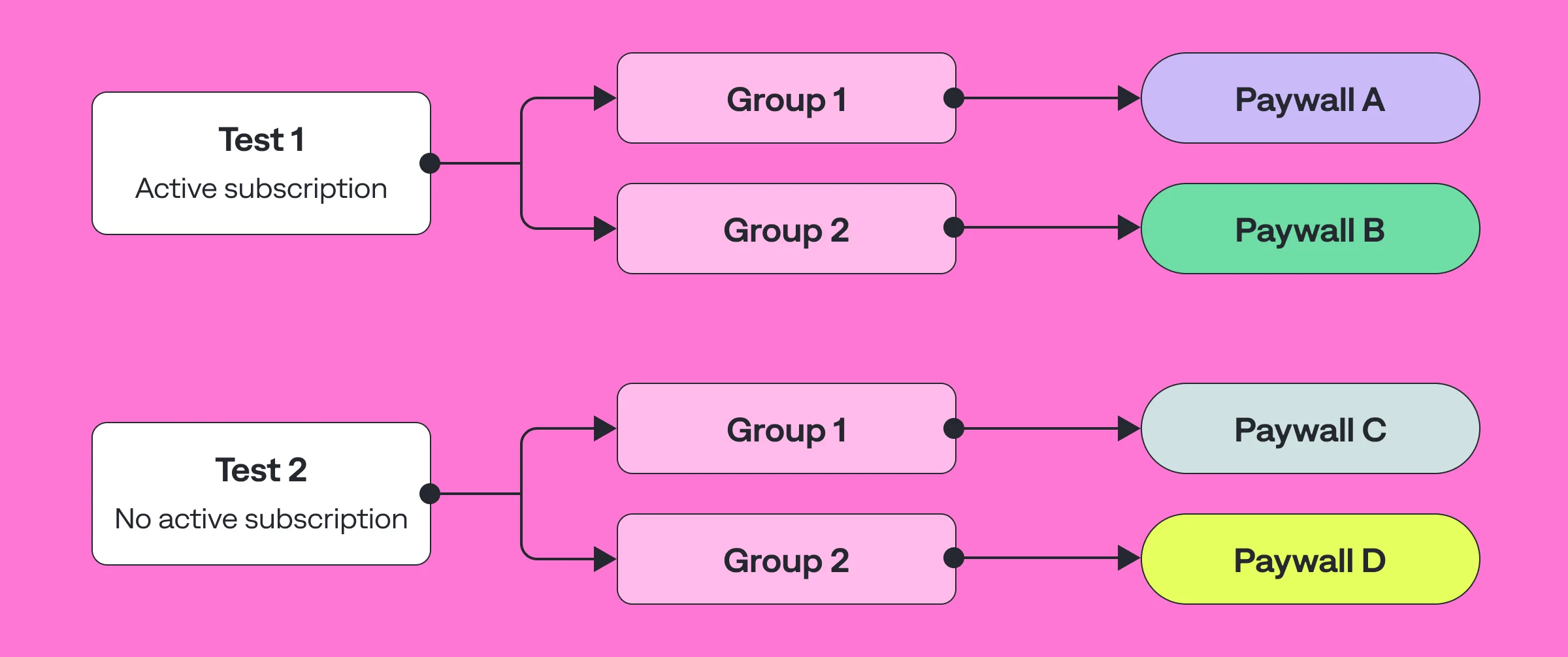
The path from basic A/B testing to complex segmentation usually follows a natural progression. Companies often start with simple split tests and then gradually implement segmentation as they collect data and understand their user base. During this evolution, they discover optimization opportunities that would have been impossible to identify with broad, unsegmented tests.
App A/B Testing Segmentation Tools
The mobile app A/B testing landscape offers several approaches to implementation, each with its own trade-offs. While client-side testing tools like Firebase A/B testing and Google Optimize offer quick setup with basic segmentation capabilities, they often struggle with complex targeting scenarios. Enterprise solutions like VWO mobile app testing provide more advanced features but may require significant technical integration effort.
Server-side testing, which our platform does, offers clear advantages for complex segmentation tasks. By moving the decision logic to the server, we can handle complex segmentation rules without impacting application performance. This approach also allows us to quickly make changes to experiments without requiring application updates, which is critical to maintaining the pace of testing.
A/B Testing is especiialy challenging for Android apps, where device fragmentation and differences in OS versions across platforms create additional complexities. Our Android SDK abstracts these complexities by ensuring consistent experimentation across all supported devices and operating systems. This is especially important when testing features that may behave differently on different devices, or when targeting users based on application version capabilities.
How to Effectively Segment Your Audience for app A/B Testing?
I'll walk you through A/B testing segmentation strategies and will explain the logic behind Qonversion's segmentation features along the way.
App A/B Testing Segmentation Filters
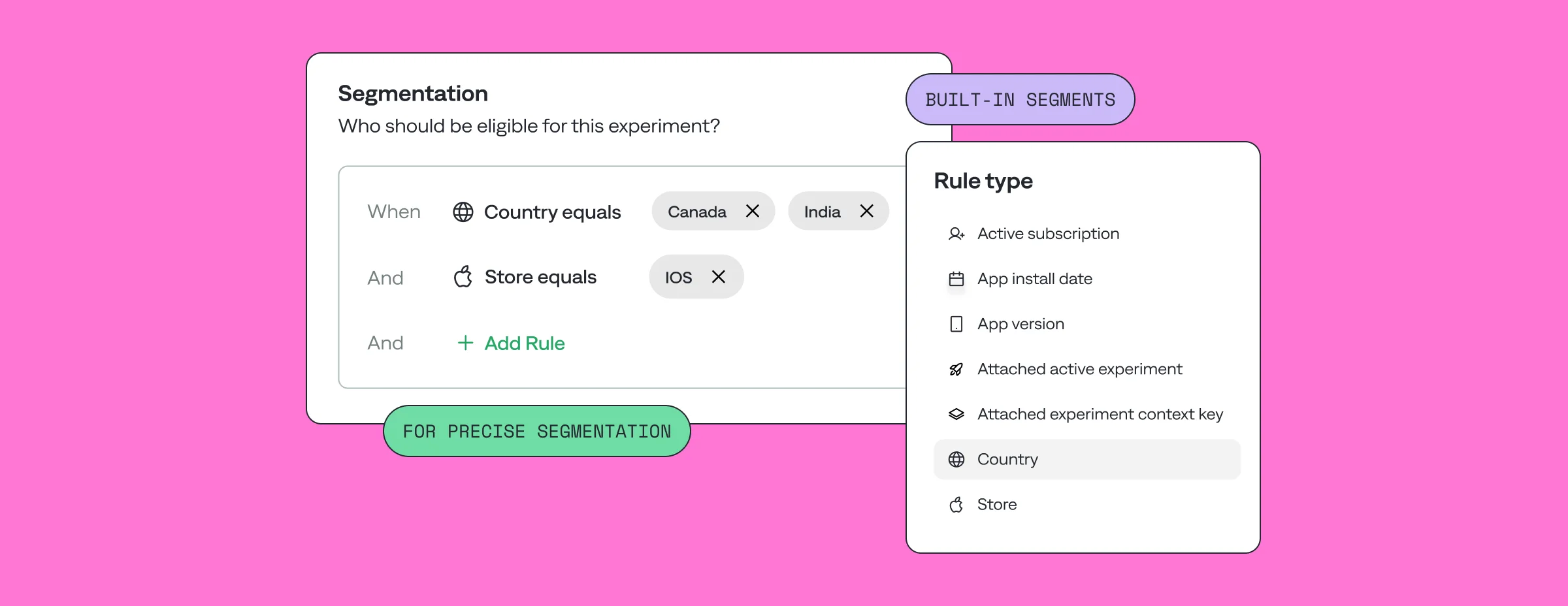
When setting up an A/B test, aim for a precise control with well-defined parameters. Qonversion's segmentation system allows you to filter users based on their subscriptions - active or inactive subscriptions to certain products. You can target users based on when they installed your app, allowing you to differentiate between new and existing users. Targeting by app version with semantic versioning ensures compatibility when testing new features. Geographic targeting with country segmentation provides regional optimization, and platform segmentation allows differentiation between various store platforms and payment systems.
Here are the segments you have in Qonversion:
- Active subscription
- App install date
- App version
- Attached active experiment
- Attached experiment context key
- Country
- Store
Powerful Segment Combinations
Segmentation is like putting together the perfect puzzle. Imagine you have a set of data about your users: when they installed the app, whether they have an active subscription, what version of the app they are using, and what country they are visiting from. With our platform, you can combine this data to create precise groups to test.
For example, you want to test a new premium feature. Instead of showing it to everyone, you select users who installed the app more than three months ago, don't have a subscription, and are using the latest version of the app. This combination allows you to focus on those who are most likely to be interested in the feature. This saves time, saves resources, and gives you more accurate results.
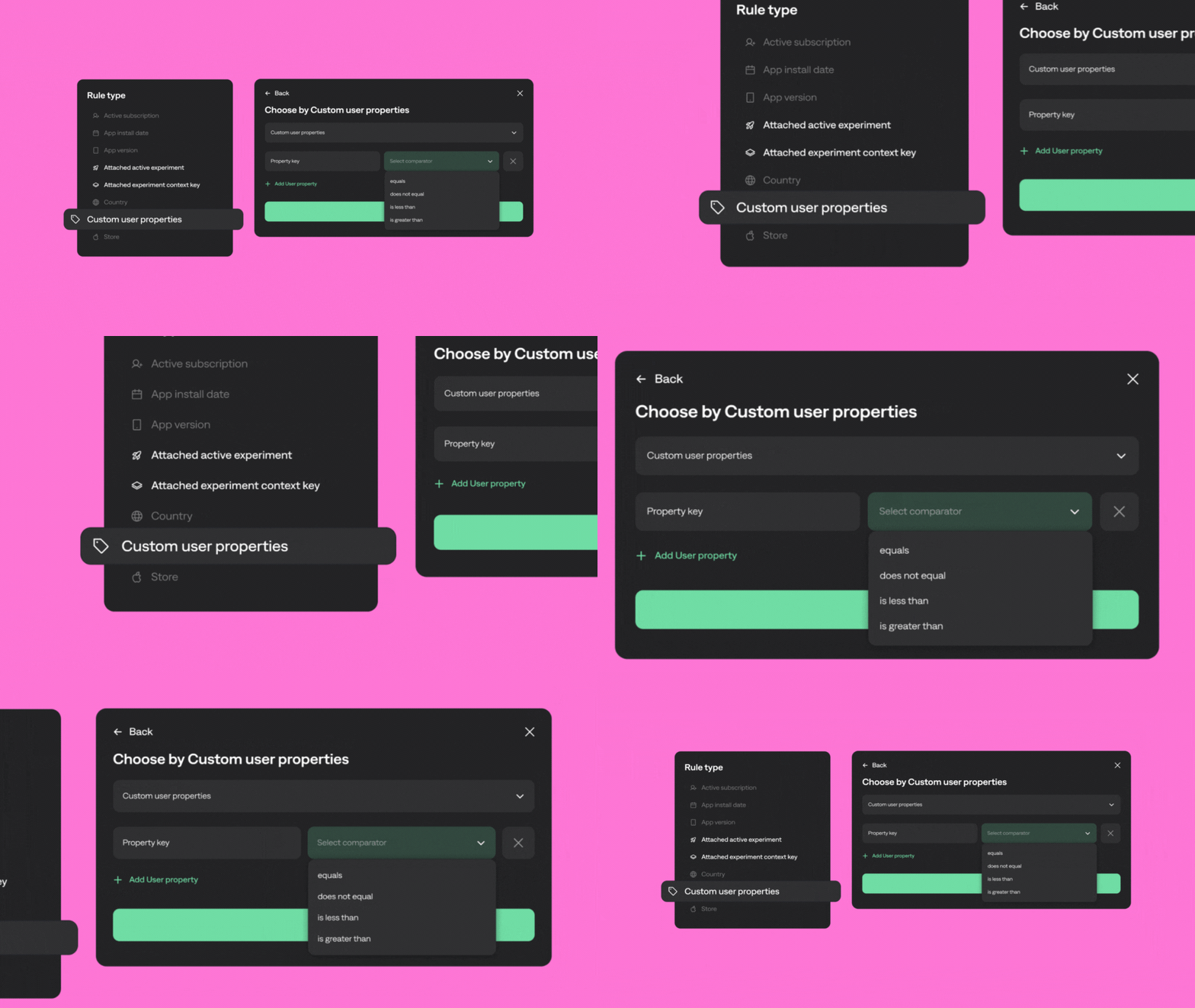
On top of this, you can create your own user groups based on unique user properties your customers have.
Advanced Segmentation Feature
Let's say you’re running an experiment for new users and want to segment them based on how often they open your app. If a user opens the app more than 5 times a week, it’s a strong indicator they’re engaged and likely to convert. For this group, you can show Paywall A, designed with social proof and urgency triggers to encourage them to act quickly after their free trial.On the other hand, users who open the app less than 5 times a week might need a little more convincing. For them, you can present Paywall B, which addresses potential doubts and includes a promotional offer to spark interest.
Qonversion's Advanced Segmentation feature allows you to tailor your offers to specific user groups, boosting your chances of conversion. And the best part? You can define these segments yourself, customize them to fit the unique needs and behaviors of your app.
Running Multiple A/B Tests
The traffic allocation system in Qonversion allows multiple experiments to run simultaneously, preserving data accuracy and simplifying the management of complex scenarios. The system first prioritizes experiments based on their start order. This means that users are prioritized into segments of earlier experiments first, if they match their conditions.
The system then distributes the remaining traffic to the other experiments following the specified percentages. For example, if the first experiment uses 70% of the traffic, the next experiment will receive the remaining 30%. The users within each experiment are then randomly distributed among the test variants. This mechanism allows you to set up a flexible and accurate traffic distribution, avoiding overlaps between experiments.
The system's hierarchical approach ensures that experiments remain independent of each other, even if the user participates in multiple tests. This ensures high statistical significance of the results and allows complex scenarios to be run simultaneously while maintaining a consistent user experience.In Qonversion there's also the Pause feature for long-term analysis. It allows you to stop adding new users to an experiment while continuing to provide variations to existing participants. This allows the results to be thoroughly analyzed before making permanent changes.
A/B Testing Segmentation: Post-Production Metrics
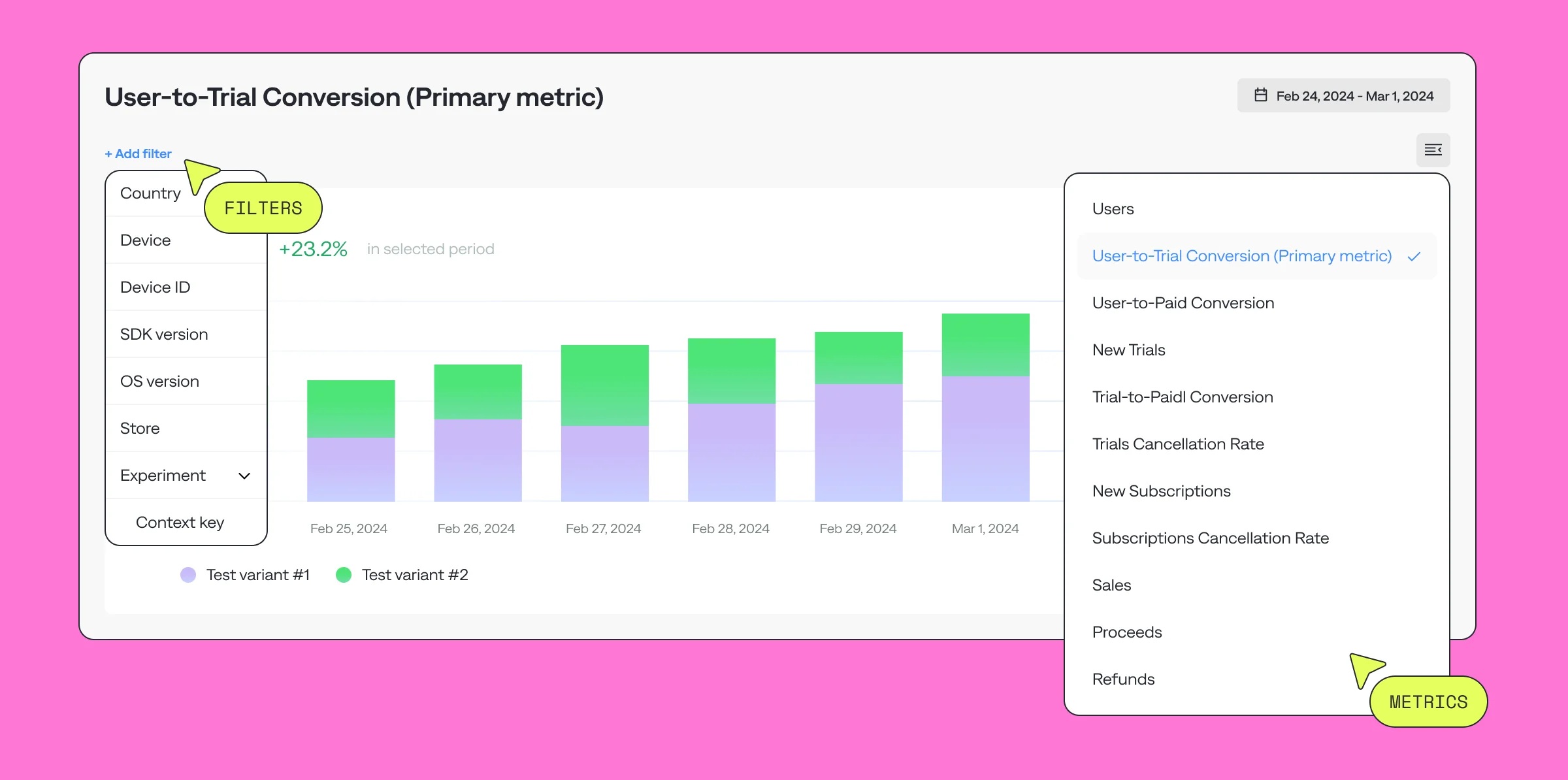
Post-production metrics are essential to fully understand the impact of your A/B test and refine your strategy based on real-world performance. Once your test has concluded, Qonversion’s advanced analytics tools allow you to analyze results with precision by applying filters to your primary metric or exploring secondary metrics.
With Qonversion, you can break down user behavior agter the A/B test by leveraging filters such as:
- Geography: Understand how users in different regions responded to your A/B test.
- Platform and Device: Evaluate performance variations between iOS and Android or specific devices.
- Subscription Status: See how active subscribers versus new users reacted to test variations.
- App Version: Assess feature adoption and performance across different app versions.
These filters are not limited to the primary metric. You can apply them to other critical metrics like user-to-paid conversion rates, trial cancellation rates, or even refund rates to get a comprehensive view of your experiment's performance.
App A/B Testing Segmentation Best Practices
Successful segmented testing requires clear goals and careful planning. Start by defining the specific goals of your experiments, whether it's increasing subscription conversion rates or optimizing the use of premium features. Our A/B testing beginners guide will take you through these steps. Take into account external factors that may affect results, such as seasonal trends or marketing campaigns.
The segment selection strategy should balance statistical requirements with business objectives. While large segments are quicker to reach significance, smaller and more targeted segments often provide more useful insights. Always monitor how your experiments are progressing toward statistical significance, and be prepared to adjust your strategy based on early results.
App A/B Testing FAQ
What is the audience size for A/B testing?
The audience size required for A/B testing can vary widely depending on the specific objectives of the test, the expected effect size, and the statistical power needed to detect meaningful differences between variants. Qonversion calculates the audience size for each of your A/B tests.
How to A/B test my audience?
If in short — define the test objectives, segment your audience, create variants for them, and start the test. We've got niche-specific guides worth checking out.
- Paywall A/B Tests for Magazine & Newspaper Apps
- Paywall A/B Tests for Fitness Apps
- Paywall A/B Tests for Music Apps
- Paywall A/B Tests for Meditation and Health Apps
- Paywall A/B Test for Apps in Productivity Category
- Paywall A/B Tests for Education Apps
How to do A/B testing on mobile apps?
In addition to the steps mentioned above, A/B testing on mobile apps involves selecting a Testing Tool and integrating it by adding SDKs or adjusting your app's backend for server-side testing.
What tool is used for A/B testing?
Several tools are available for A/B testing of mobile apps, each catering to different types of requirements while Qonversion serves as a single tool to manage your subscriptions, track app analytics, optimize ads, test and build paywalls. Here's a step-by-step on setting up A/B tests in Qonversion.
Key Takeaways on App A/B Testing Segmentation
Advanced A/B testing through smart segmentation is more than just a technical upgrade—it's a strategic revolution. By understanding and implementing detailed, user-specific testing strategies, app developers can significantly improve the performance of their apps, leading to better user satisfaction and increased revenue.
We'll be happy to answer any questions you have. If you want to get ready-to-implement A/B Testing scenarios, make sure to save your spot at our upcoming webinar!

Maksim
Backend Engineer at Qonversion
Maksim builds robust backend solutions for Qonversion.