Google Play Promo Code Promotions are one of Google Play Developer Console tools that help you grow your app business. By using these, you can launch effective acquisition campaigns (and significantly increase your installs metric), partner programs, or simply use these codes as incentives (as “thank you” or “sorry” gestures). But before launching such campaigns, you should be aware of how it works and consider the limitations of the Google Play promo codes. So, let’s dive into the technical side.
What is a Google Play Promo Code?
A Google Play promo codes enable you to offer free in-app purchases or trials to a limited number of users. App developers can offer discounts or free access to apps and in-app purchases, even if the app isn't installed yet. Promo codes are particularly useful for promoting new apps, rewarding loyal users, and enhancing user experience during special events or campaigns.
Google Play Promo Code Prerequisites
To start with promotional codes, you should integrate the Google Play Billing Library into your app. Keep in mind that promotion redemptions can happen outside of your app or even when the app hasn’t been installed yet. It means that your app must handle purchases with Google Play Promo code correctly regardless of the app state.
Google Play Promo Code Types
There are two types of Google Play promo codes: one-time and custom codes.
- One-time Codes: These are unique codes generated by the system, usable only once per user. They are ideal for limited-time offers or exclusive promotions.
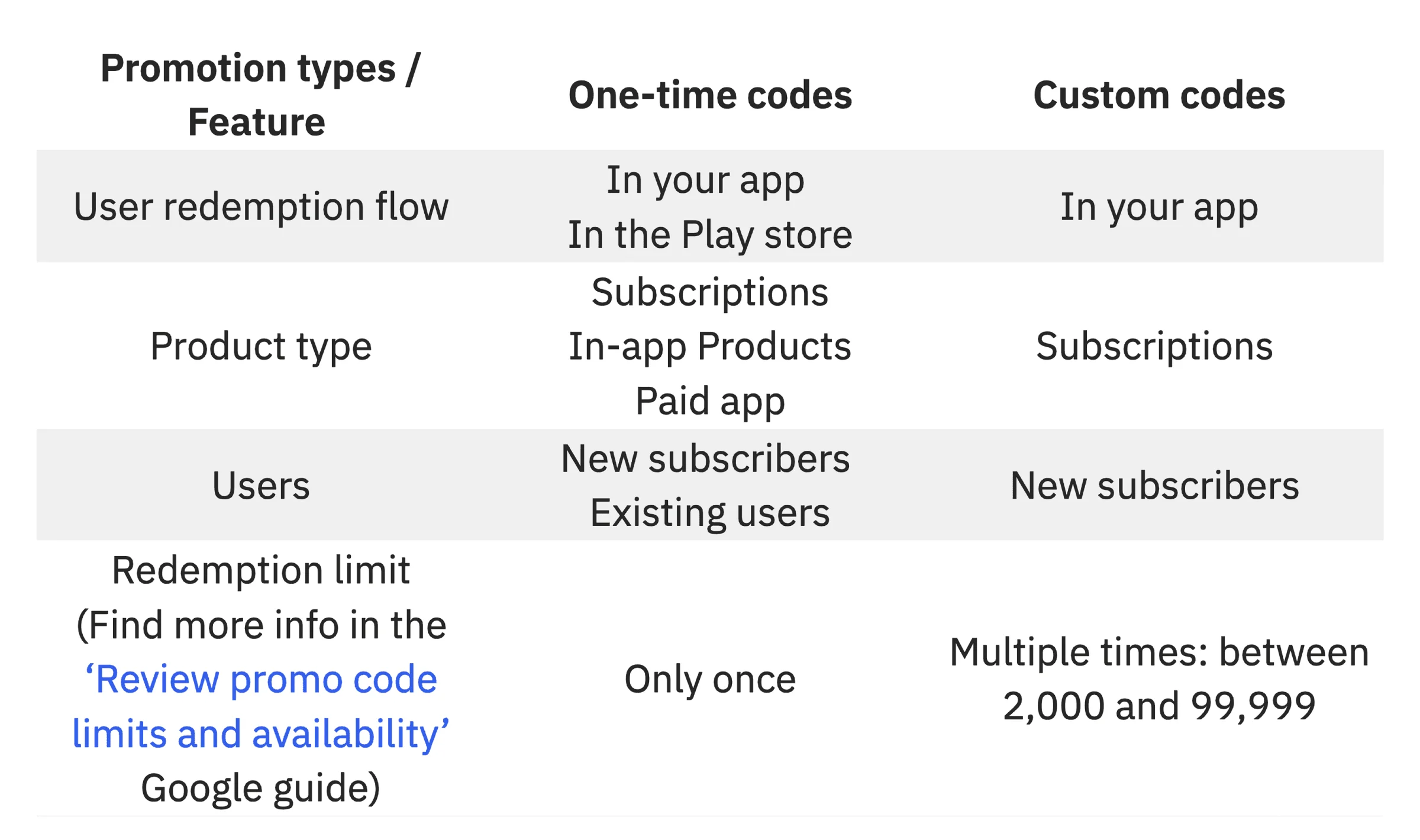
- Custom Codes: These are reusable codes that can be customized for specific events or campaigns. They can be used multiple times by different users, making them ideal for broad campaigns or partnerships. Note that custom Google Play promo codes are available only for subscriptions.
Let's compare Google Play promo codes
There's also a limit on the quantity of Google Play promo codes for different types of promotion and type of codes.
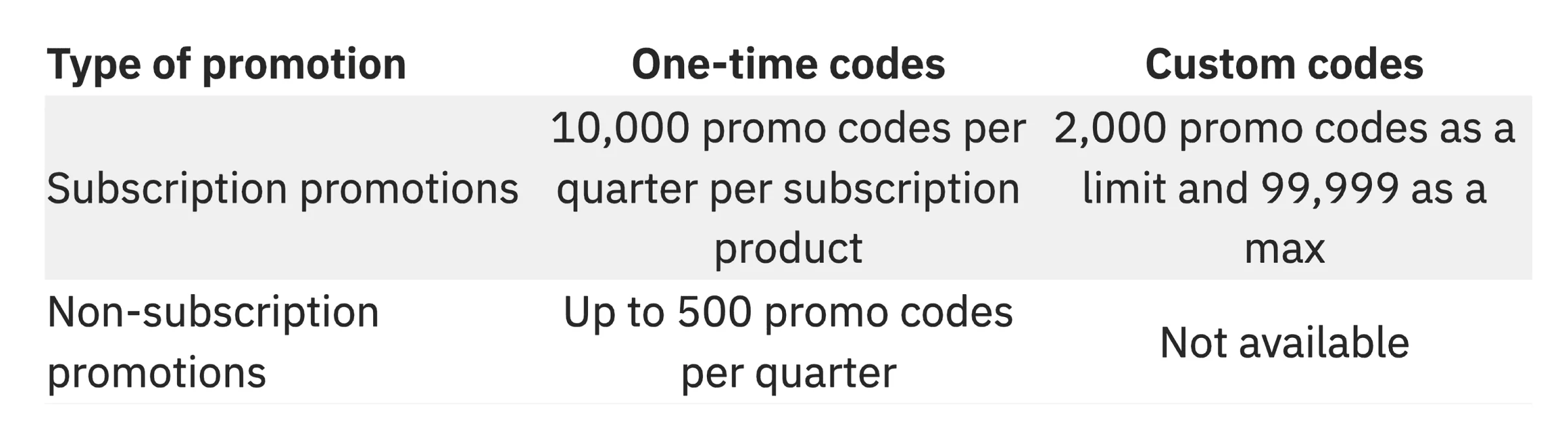
Note that once you create a promotion, you can’t change the number of promo codes in that promotion or switch promo codes to a different type. However, the promo codes created for subscription promotions do not count towards your limit for non-subscription promotions, and vice versa. With that in mind, define your strategy wisely.
Google Play Promo Code Setup Guide for Apps
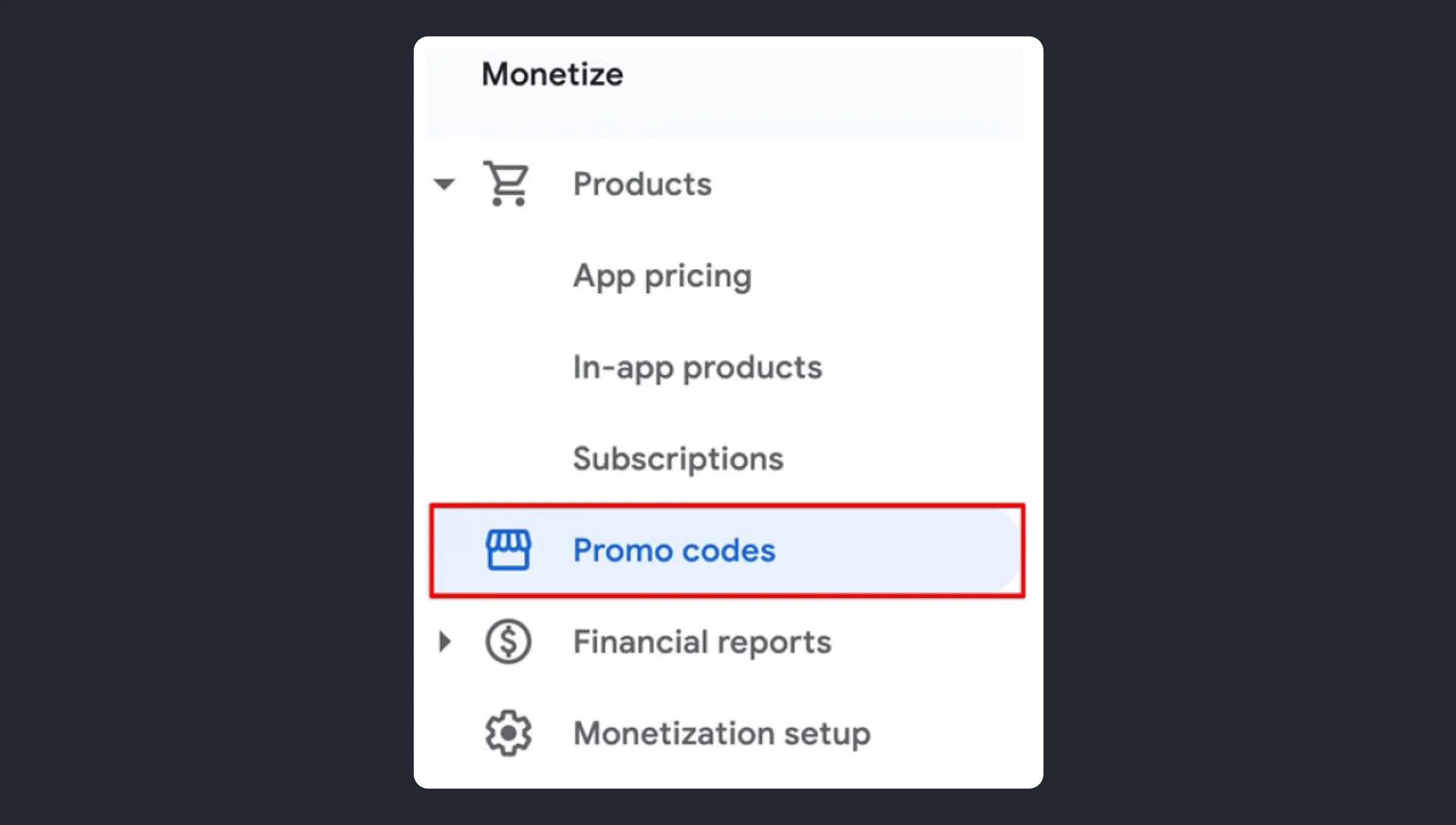
- Open the ‘Promo codes’ tab within Google Play Developer console.
Navigate to Google Play Developer Console and select the ‘All apps’ tab from the menu on the left. Then, select your app from the list. Select the ‘Monetize‘ -> ‘Promo codes‘ tab in the left menu bar.
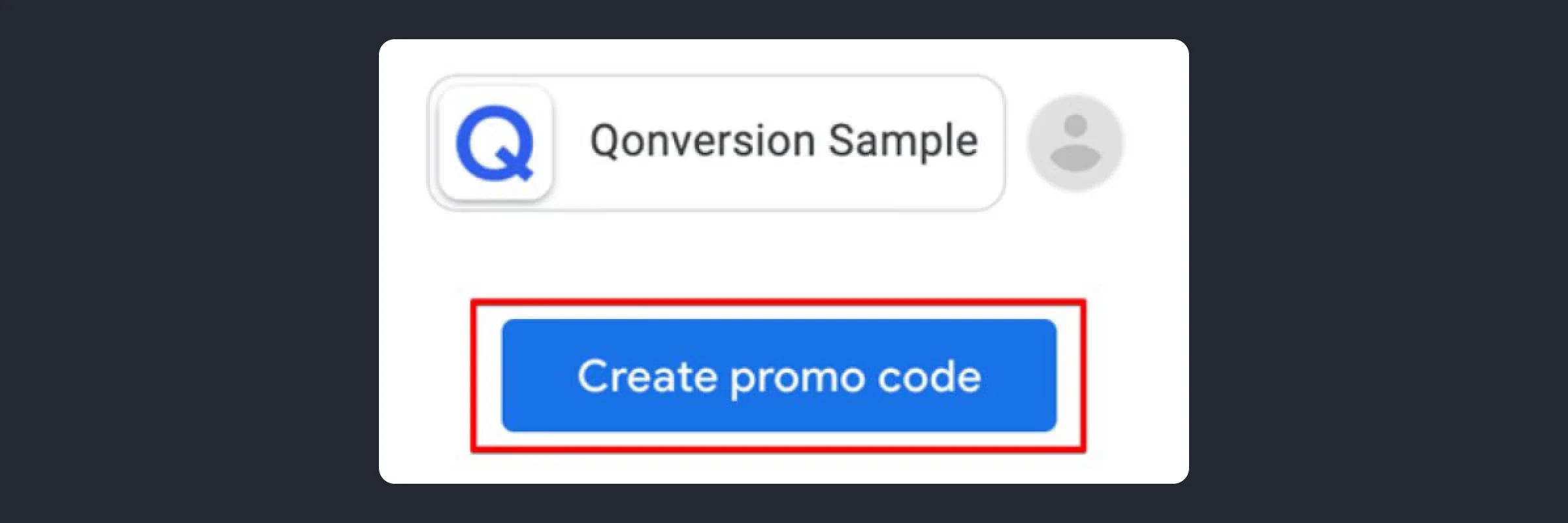
Click the* ‘*Create promo code’ button.
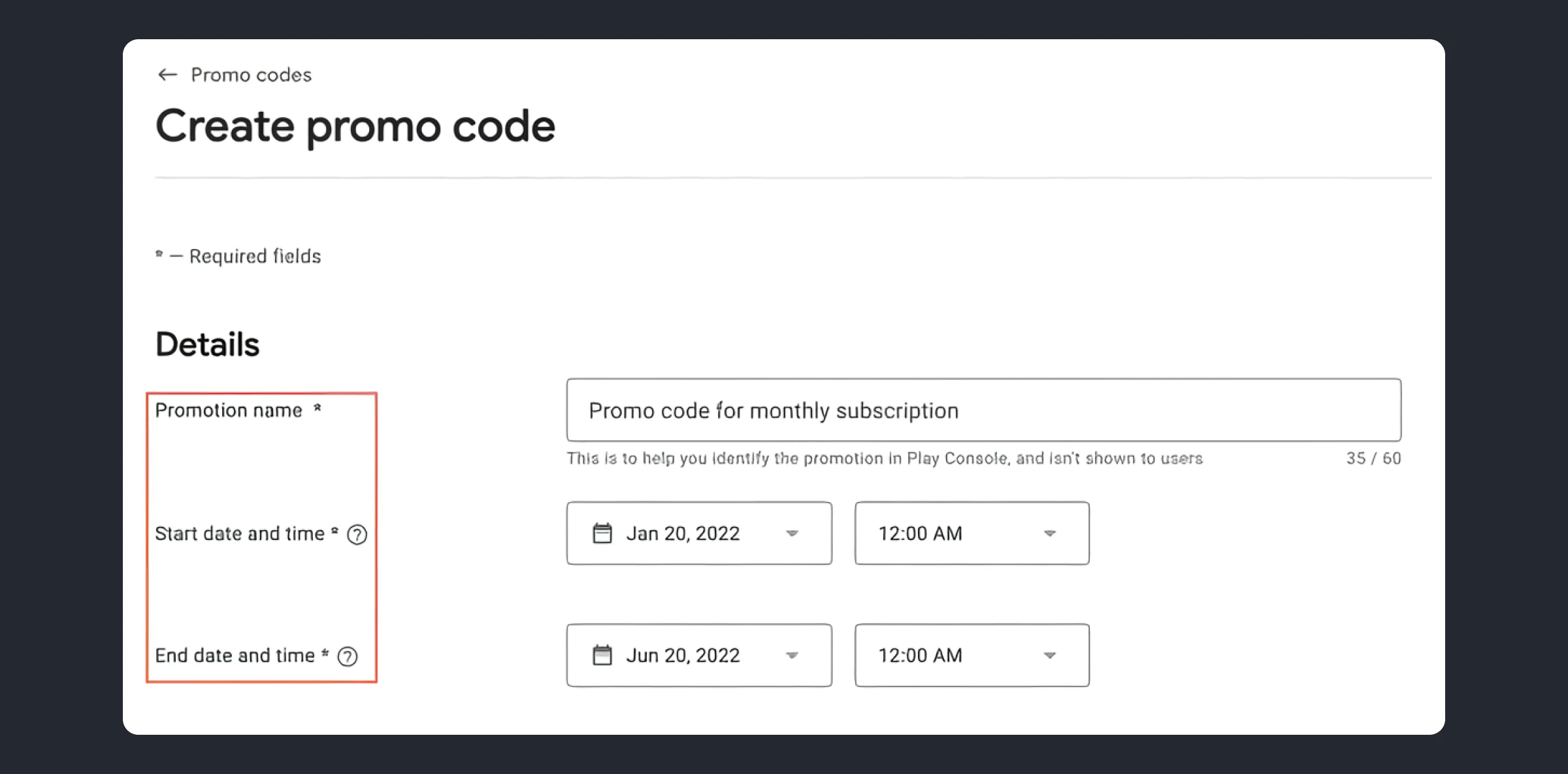
- Specify the details of the promotion.
- Name identifies the promo code in Google Play Console. Visible only to you.
- Start date must be in the future.
- End date must be within one year of the start date.
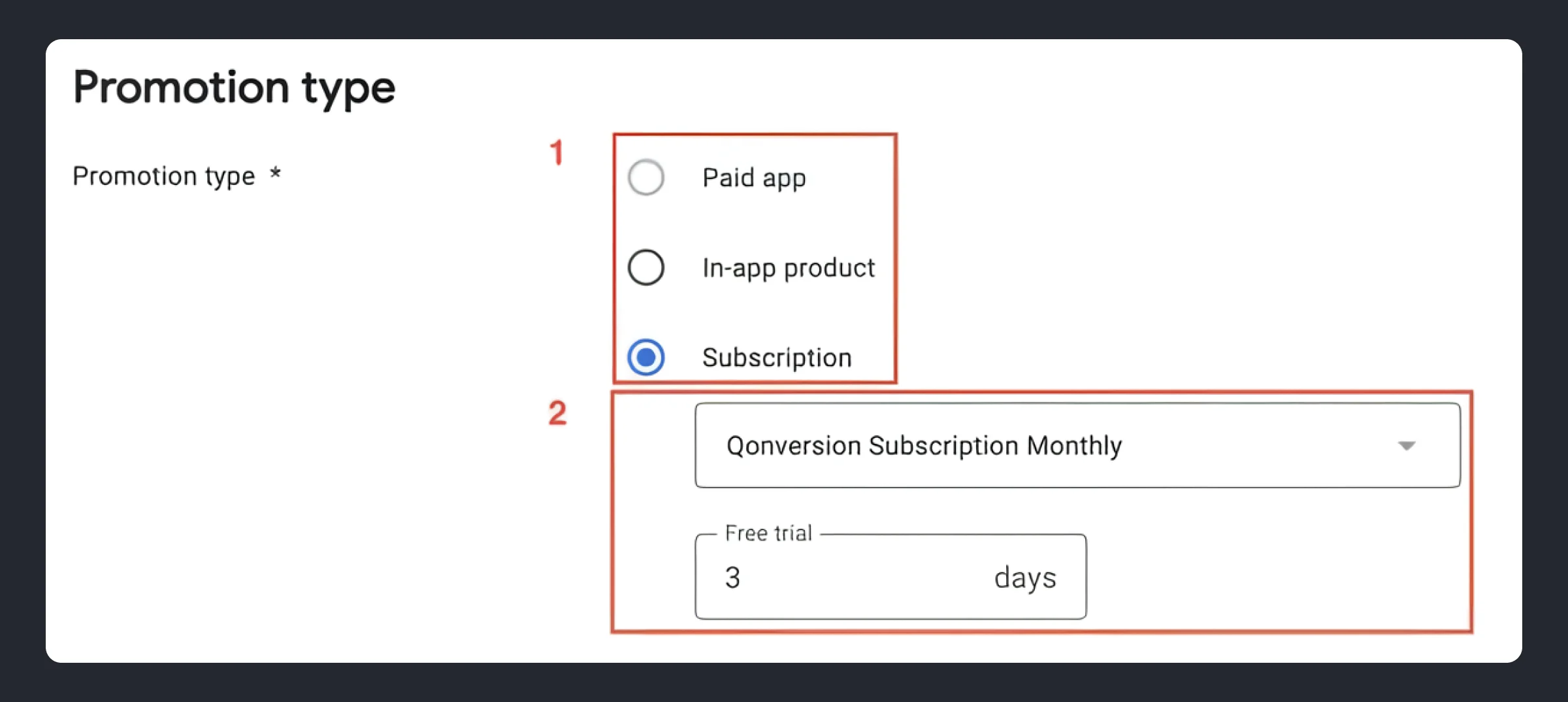
- Choose promotion type.
- Paid app: Give users a paid app for free with promo code.
- In-app product: For non-subscription promotion link an existing in-app product from a drop-down list.
Subscription: For subscription promotion specify an existing subscription and duration of the trial period. Note: If a customer uses a promo code for a subscription that has already a free trial, the promo code will override the original free trial length.
- Create one-time Google Play promo code.
In the group box ‘Code type’, choose ‘One-time codes’. Enter the number of promo codes to be created.
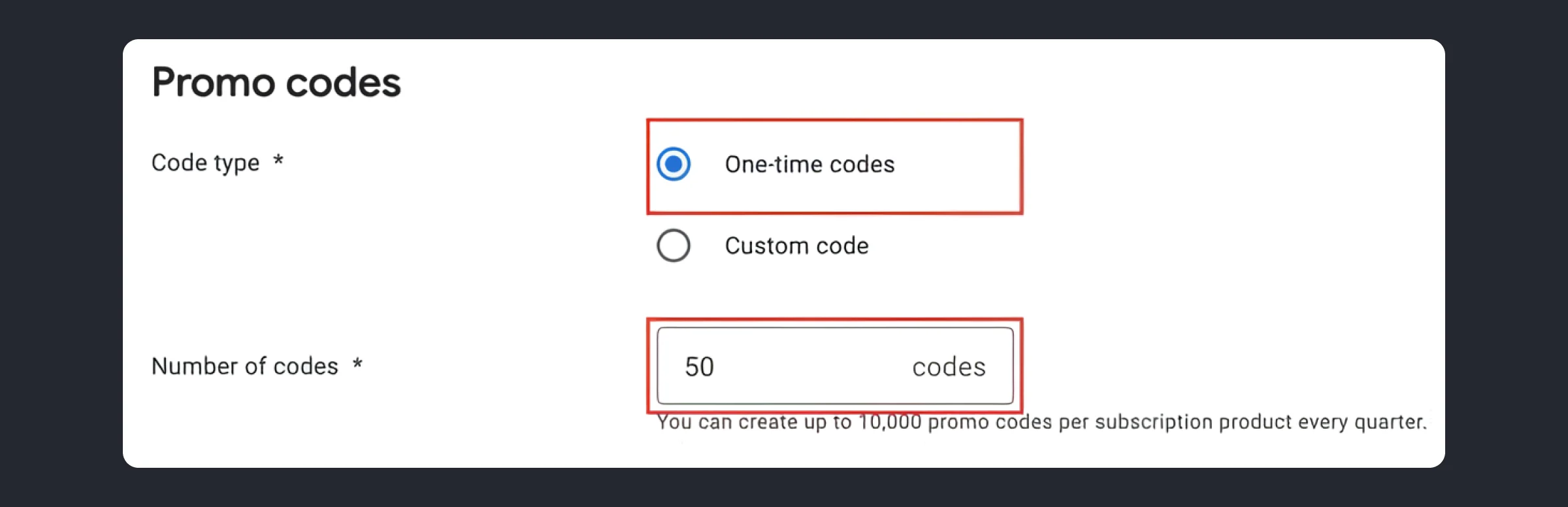
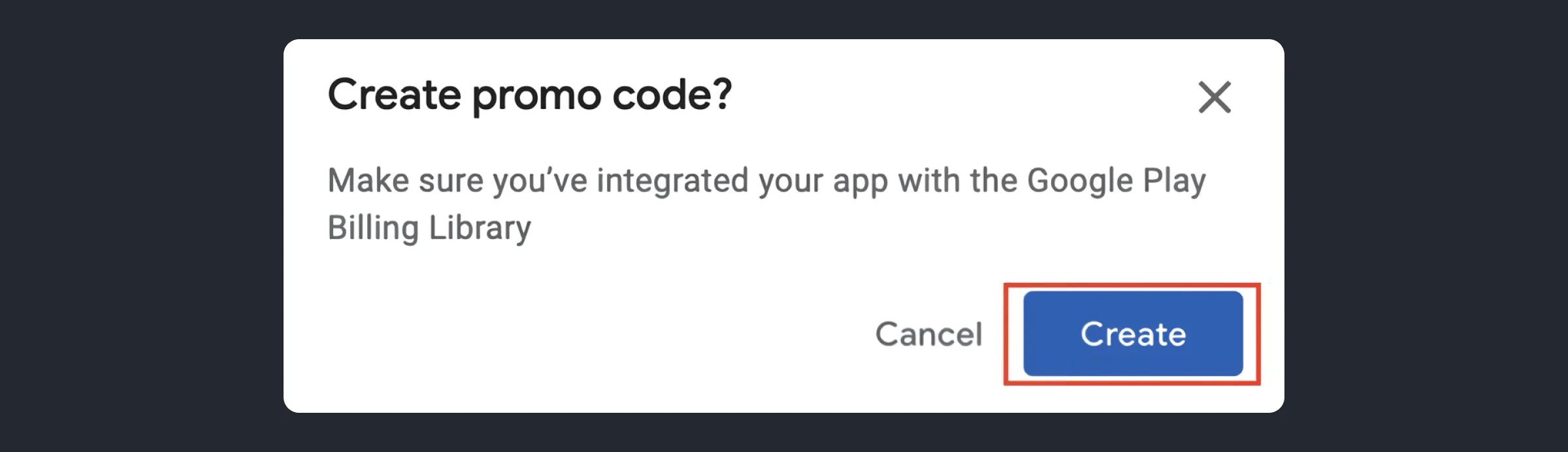
Click on the ‘Save’ button at the right bottom of the page. It’ll open a popup window that notifies you to implement the billing library in your app. Click on ‘Create’ in the window:
After that, you’ll be able to download promo codes as a CSV file:
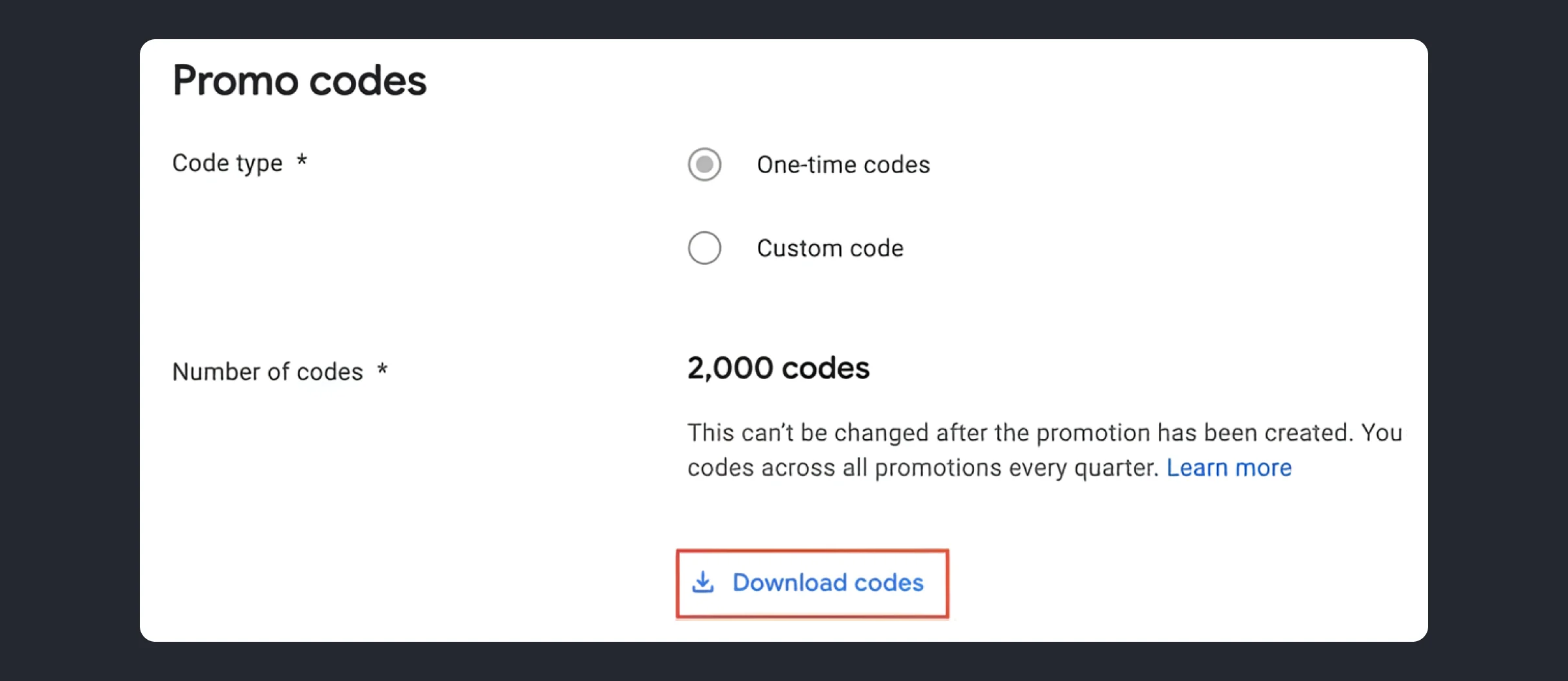
That’s it! Now you can share these unique numbers via emails or personal event invitations, or simply share them with your support team so they can engage with your users more effectively.
- Create custom Google Play promo code.
Enter a unique (per app) custom code using numbers (0-9), lowercase (a-z) and uppercase (A-Z). Also, specify the number of code redemptions:
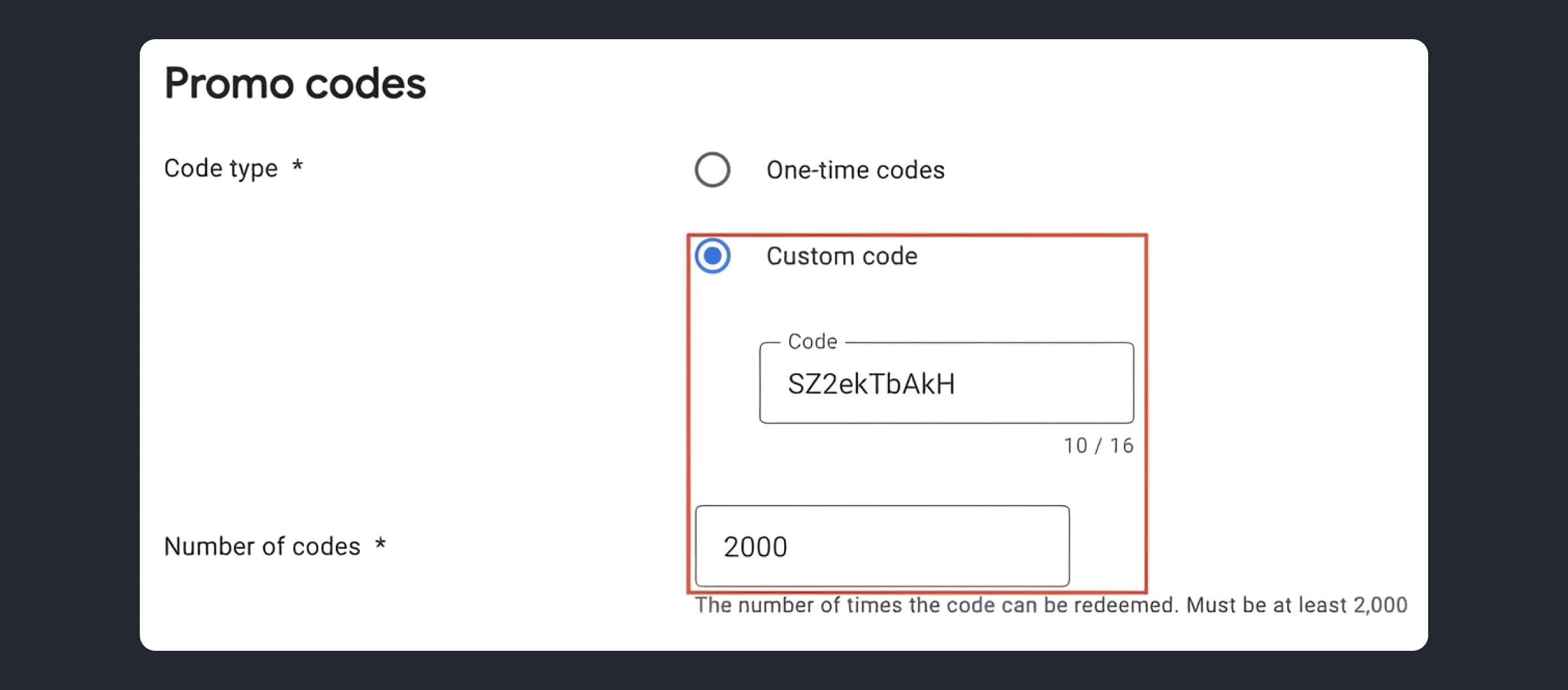
Click on the ‘Save’ button at the right bottom of the page. It’ll open a popup window that notifies you to implement the billing library in your app. Click on ‘Create’ in the window. This mechanic is widely used during events, summits, for influencer marketing.
How to Redeem Google Play Promo Code
Once we set up everything on the Google Developers Console side, let’s take a look at this process from the users’ standpoint. In the examples below, we’ll explore promotional codes for subscriptions.
In-App Google Play Promo Code Redemption Flow
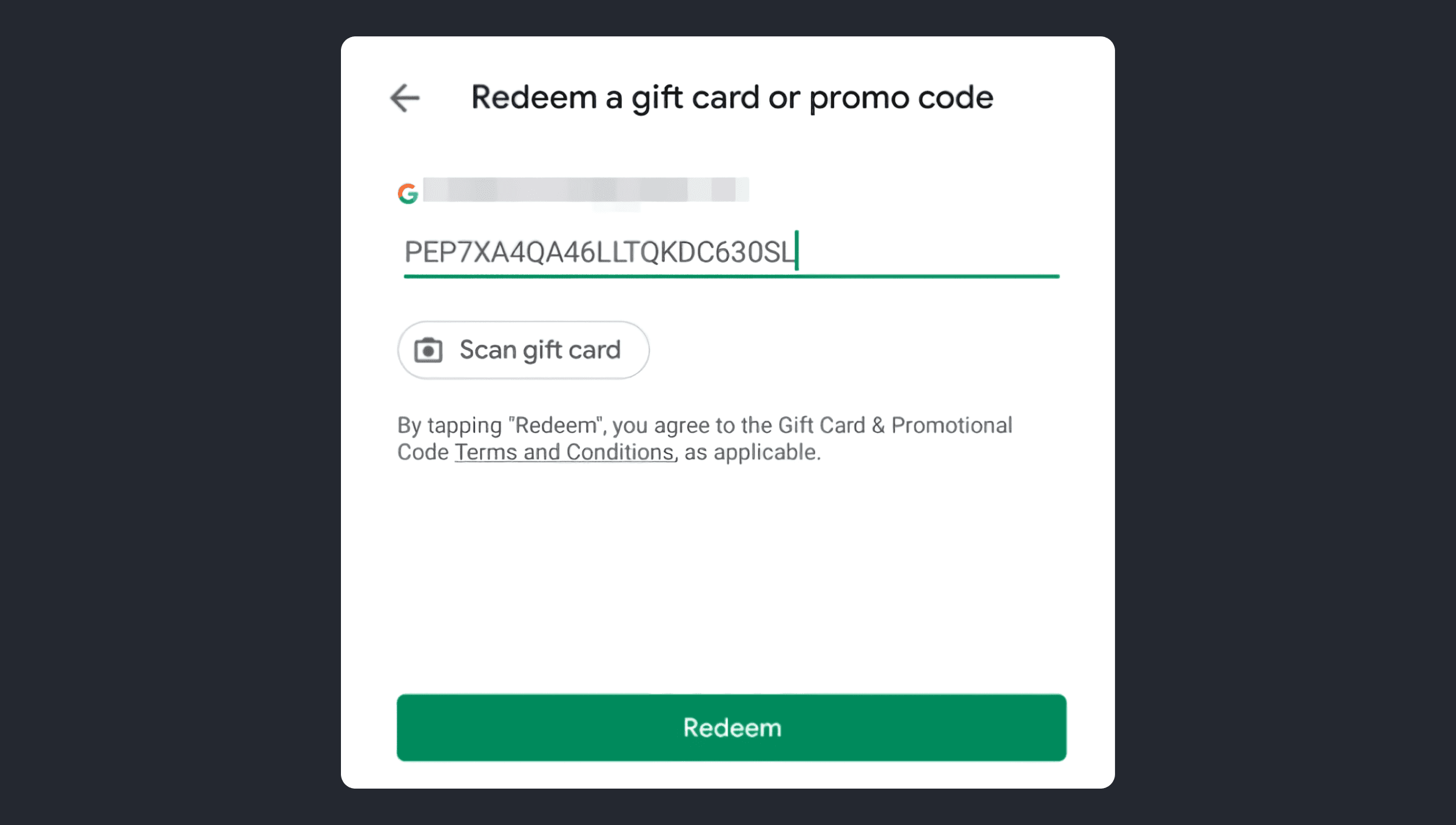
The user can redeem a promo code as part of the normal purchase flow. Instead of purchasing the product, the user enters the code and gets the product, like a usual in-app purchase.
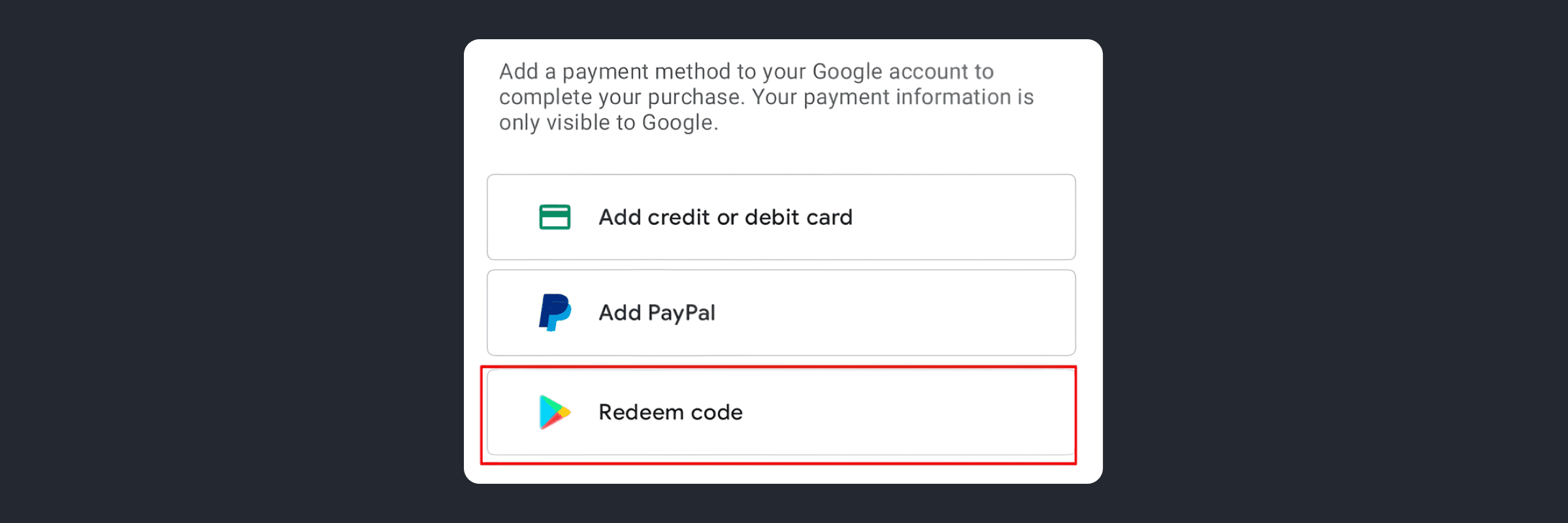
- Start the purchase flow for the product for which you created a promotion.
- Specify the Google payment method as ‘Reedem code’:
- Enter the promo code and select ‘Redeem’:
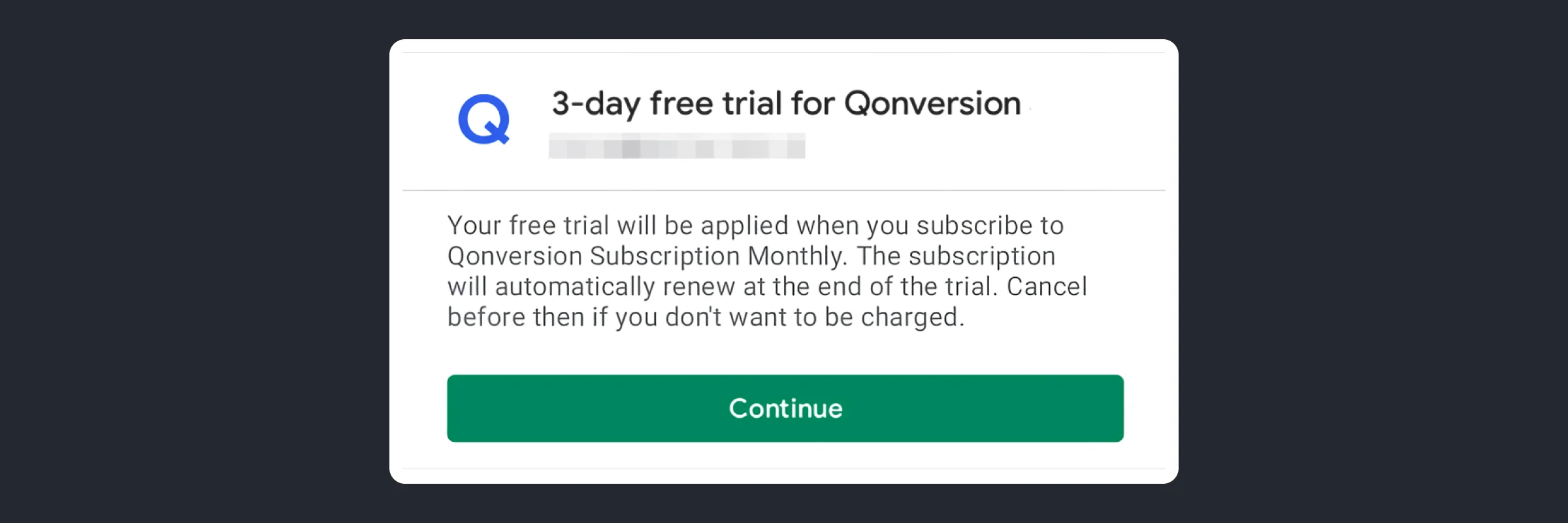
4. If the promo code was entered correctly, a window will appear with the subscription details and the trial duration. User needs to click on ‘Continue’.
5. The purchase window should open. User should click ‘Subscribe’ there.
Google Play Promo Code Redemption Flow
A user can also redeem a promo code in Google Play:
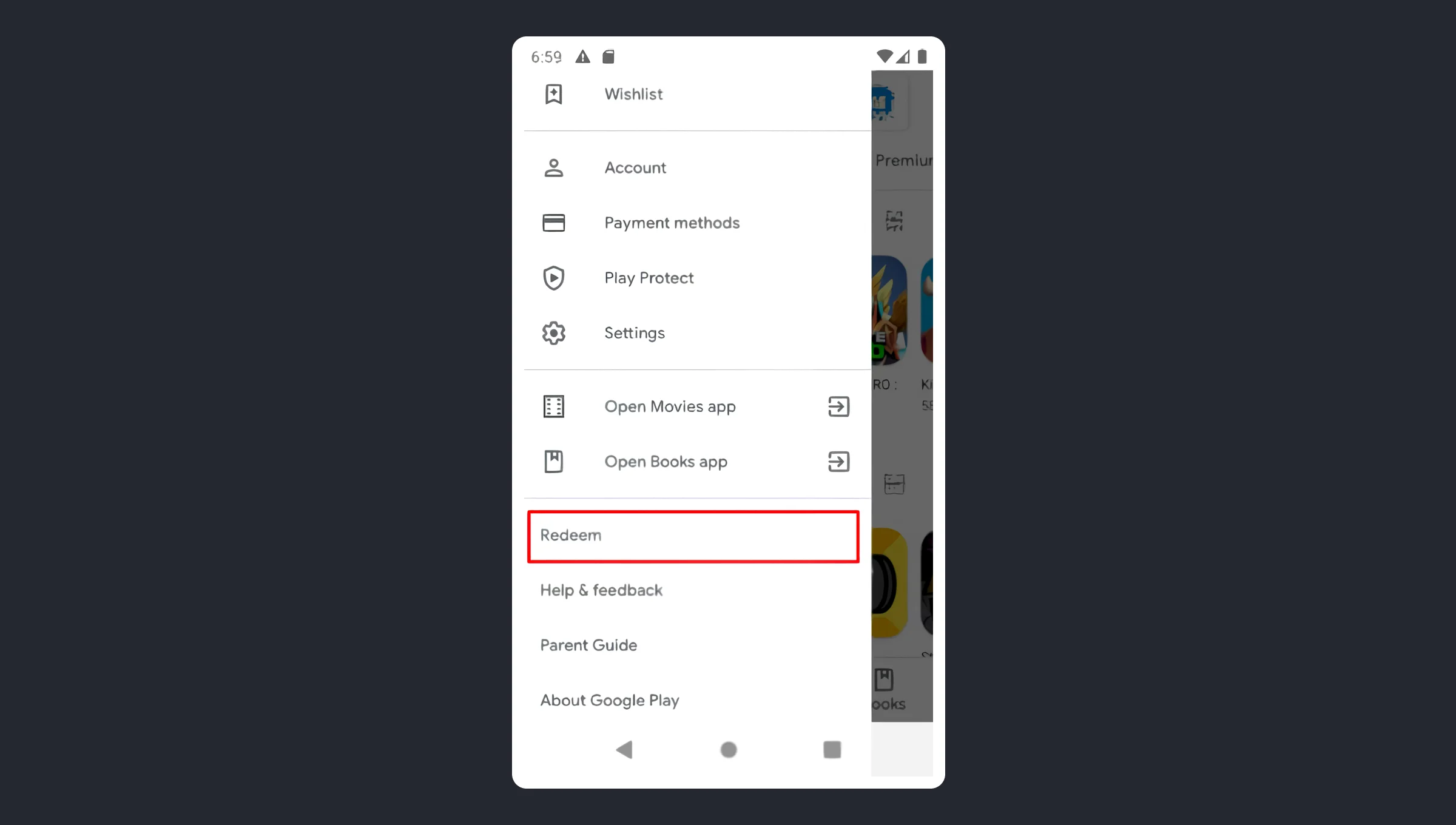
- Open the Google Play app.
- Open the menu by clicking the three lines in the left upper corner.
- Scroll down and select ‘Redeem’.
4. Enter the promo code and click ‘Redeem’:
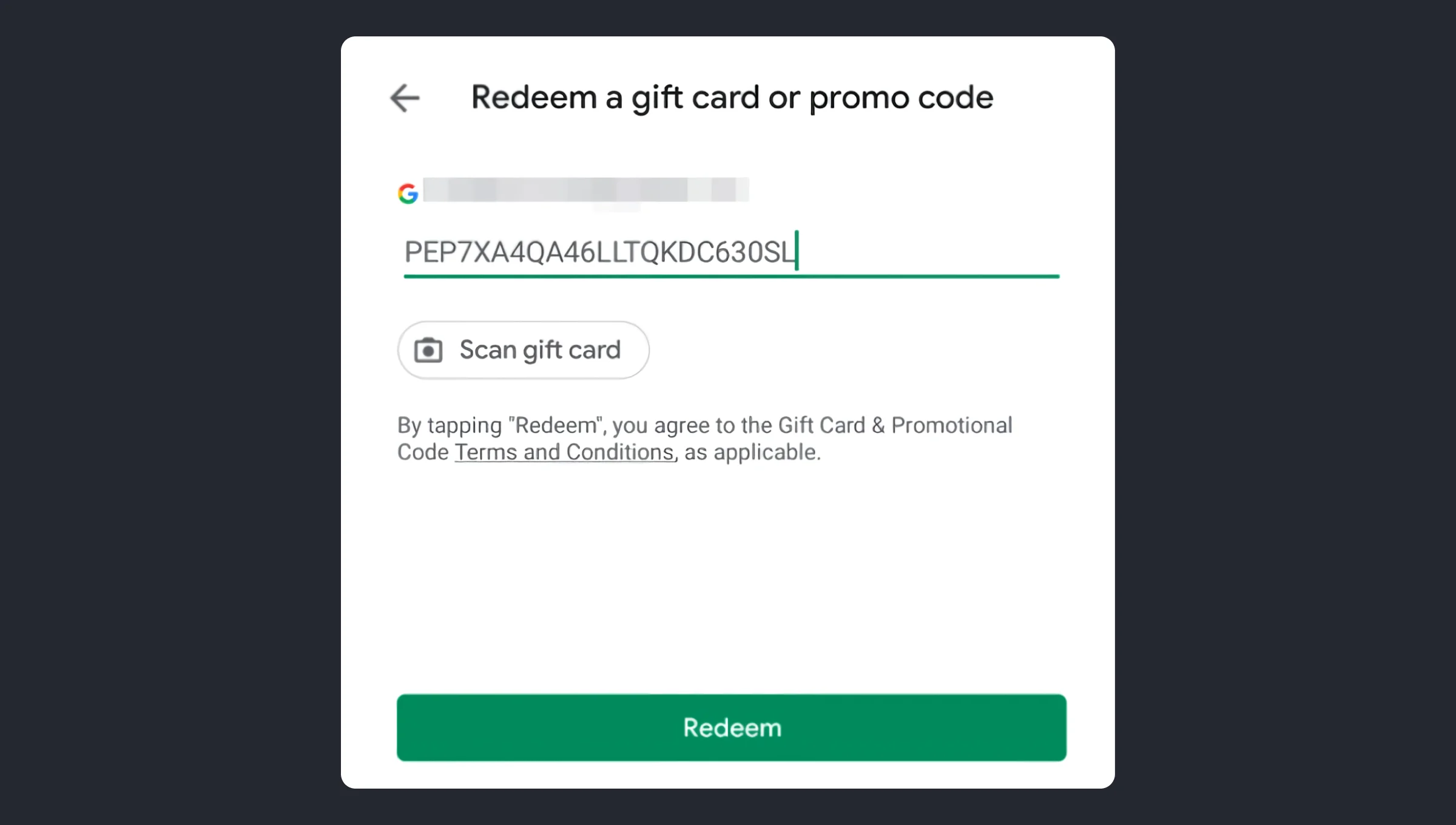
5. If the promo code was entered correctly, a window will appear with the subscription details and the trial duration. User needs to click ‘Continue’
6. The purchase window should open. User should click ‘Subscribe’ there.
To save the user from having to enter a promo code, you can generate a URL with it. Share the URL that directs the user to Google Play Store.
URL has the following format: https://play.google.com/redeem?code=promo_code
Wrapping up Google Play Promo Codes
Google Play promo codes are a universal tool for user acquisition and engagement that allows you to launch campaigns even with a limited budget. This is a great tool to increase the number of installs, but to convert these users to subscribers, provide them with great onboarding, and give them their “Aha!” moments.
Google Play promo codes are also a great tool for user engagement and receiving reviews — just send your users a custom push notification with the unique code at the right time and gift them access to the new experience. At Qonversion, we’re all about making subscriptions simple and accessible for everyone. We stay on top of all the latest Google updates and make sure you’re the first to know about them, so you’re always ahead of the curve.If you’ve got an app and are looking to boost your subscription game, give us a shout! We’ll help you navigate the ins and outs of subscription-based revenue and app marketing.

Maria
Qonversion Team
Maria creates content about in-app purchases and subscription testing.