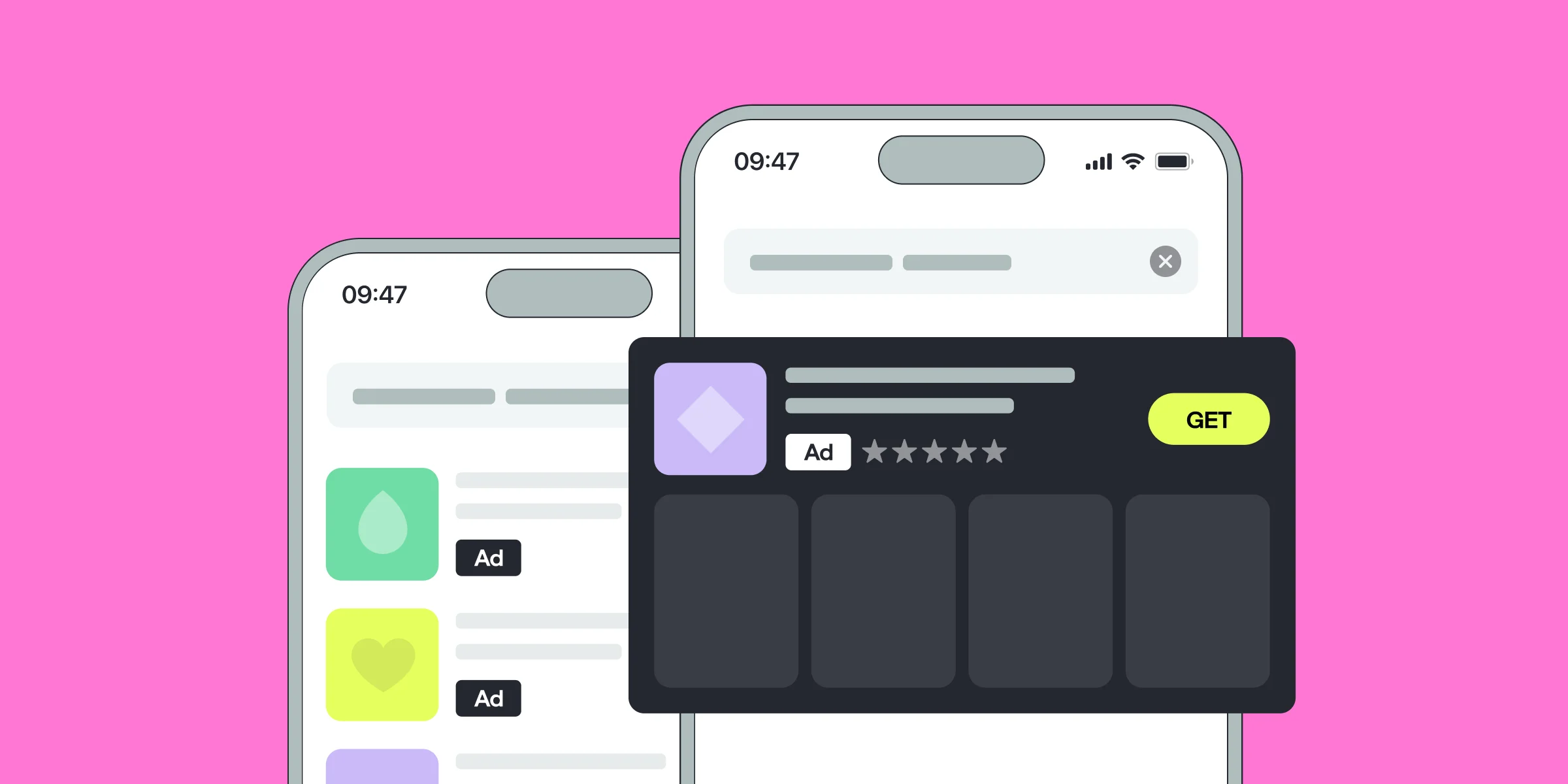
With millions of apps competing for attention,the ones who laverage Apple Search Ads effectively ensure their app reaches the right audience. In this article, together with mobile growth consultant Ryan Kelley, we will discuss how to maximize the outreach of the ad campaign, how to optimize Apple Search Ads, and how to improve conversion rates while lowering user acquisition costs.
Here's how to navigate this article: we share the key components of Apple Search Ad Campaigns and continue with best practices and an actionable Apple Search Ad Campaign template. Let's go.
What Is Apple Search Ads?
Apple Search Ads is an exclusive advertising platform that allows app developers and marketers to promote their apps directly within the App Store. Launched in 2016, it has quickly become one of the most effective user acquisition channels, driving more than 65% of app downloads through search. Apple Search Ads offers two main options: Apple Search Ads Basic and Apple Search Ads Advanced, each with distinct features and pricing models.
Apple Search Ads Basic
Operates on a Cost Per Install (CPI) model and is ideal for those new to Apple Search Ads. It offers a simplified setup with automated keyword matching and ad placements exclusively in search results. It’s perfect for those with a limited budget or time constraints.
Apple Search Ads Advanced
Operates on a Cost Per Tap (CPT) model and offers full control over keyword selection, bidding strategies, and ad placements. It allows you to target specific audiences and receive detailed reporting, making it suitable for more experienced marketers looking to scale their campaigns.
Apple Search Ads is a powerful channel, but to get the most out of it, you need to follow best practices that will help you optimize your campaigns, reach relevant users, and maximize your return on investment.
Apple Search Ads Cost
The cost of Apple Search Ads is determined by a second-price auction model, where you only pay slightly more than the next highest bid. Several factors influence auction bid prices, including region, app category, seasonality, and the competitive actions of other app marketers. To maximize the value of your campaigns, it’s essential to monitor your Apple Search Ads costs closely.
One best practice is to regularly review Apple Search Ads benchmarks and reports. This will help you stay informed about shifts and trends in the market, ensuring that your bids remain competitive while controlling costs.
Before getting to other Apple Search Ads best practices and actionable tips let's examine the components of a successful app: keyword types, campaing structure types, and bid strategies. If you're experienced in these, simply scroll down to get your hands right on an actionable template you can implement right away.
Building a Robust Keyword Strategy
A strong keyword strategy is the foundation of any successful Apple Search Ads campaign. Here’s how to approach it:
Exact Match Keywords
Target high-intent users by selecting exact match keywords that closely align with what your app offers. This ensures that your ad is shown to users who are more likely to convert. Exact match keywords give you greater control over where your ads appear, leading to higher relevance and potentially better conversion rates.
Broad Match Keywords
Use broad match keywords to cast a wider net and discover new search queries that might not be immediately obvious. Broad match allows your ads to appear for variations of your keywords, including synonyms and related terms. While this approach can help you reach a broader audience, it’s important to monitor these keywords closely to avoid wasting your budget on irrelevant traffic.
Negative Keywords
Prevent your ad from showing for irrelevant searches by using negative keywords. This improves the efficiency of your ad spend by ensuring that your ads only reach users who are more likely to be interested in your app. For example, if your app is a premium fitness tracker, you might want to use negative keywords like “free” or “cheap” to avoid attracting users looking for free apps.
Search Match
Apple’s intelligent technology can help you discover new keywords by automatically matching your ads to relevant search terms. While Search Match can be a valuable tool for uncovering new opportunities, it should be complemented with manual keyword research to ensure that you’re targeting the most relevant and high-performing keywords.
By the way, Qonversion’s integration with Apple Search ads allows you to track the performance of your selected keywords, providing insights into which terms are driving the most conversions and helping you optimize your keyword strategy over time.
Crafting a Compelling Campaign Structure
Organizing your Apple Search Ads campaigns effectively can make a significant difference in their performance. Here’s how to structure your campaigns:
Brand Campaigns
Focus on keywords directly related to your brand to capture users searching specifically for your app. Brand campaigns help protect your brand’s visibility on the App Store and ensure that users searching for your app find it quickly.
Category Campaigns
Target non-brand keywords that define your app’s genre or category, helping you reach users interested in similar apps. Category campaigns are crucial for attracting new users who may not be aware of your brand but are searching for apps like yours.
Competitor Campaigns
Bid on keywords related to your competitors’ apps to capture their audience. Competitor campaigns can be an effective way to steal market share by targeting users who are already interested in similar apps but may be open to trying something new.
Discovery Campaigns
Use broad match and Search Match to discover new, high-performing keywords that you can later add to your brand and category campaigns. Discovery campaigns are essential for expanding your reach and identifying untapped opportunities in the market.
Now let's get to the juice. What are the exact steps you can take today to
Apple Search Ads Best Practices to Win Ranking
There are three main strategies that you can apply for Apple Search Ads: brand defense, brand offense, and improving the organic keyword rank.
Brand defense
Apple Search Ads Brand defense campaigns have the highest lifetime value (LTV) and the highest intent. Brand protection allows you to save your spot and money for user acquisition so you won’t find yourself in a situation when your user searches for a brand in the app store and someone is there on the front page instead of you.
Between 90 to 99% of every search within the store is going to be branded in some way, so it could be either your brand or a competitor’s brand reaching users’ eyes. There’s a very small amount of searches that are non-branded or generic. Think about the last app you downloaded. What led you there? Usually, potential users learn about you through an advertisement or someone’s advice, which is why it’s important to have strong brand recognition.
Brand protection allows you to save your money for user acquisition so you won’t find yourself in a situation in which your user searches for a brand in the app store and another app is there on the front page.
Brand offense
Apple Store and Google Play are starting to look more and more like Google search results, where you see the advertisements at the top. This is unlikely to ever change, so in most cases, you can either put your budget towards it or accept defeat.
To outmaneuver your competitors, you can launch brand offense campaigns and bid for their brands. These types of campaigns are not always going to convert the best and the cost is quite high, so it’s important to strike a balance.
If you do this, be sure to invest in your Apple Search Ads creatives sets as well: better ads can win the download.
All the click-through that happens from the search ad counts as an organic click-through, so they ultimately improve your keywords and ranks. To have a better rank you need to support the keywords that you’re targeting with Apple Search Ads. Our advice here is to target 3-5 generic search terms.
Apple Search Ads Campaign Template
Here's an Apple Search Ads campaign structure template that’ll help you schedule and manage Apple Search Ads campaigns.
There’s a classic approach on how you can divide campaigns: brand, competitor, non-brand or generic, and discovery. Let’s take a closer look at parameters that you should use for each of them.
Exact and Broad Match: Which to Choose?
- Set exact match for all campaign types except discovery campaigns.
- Use broad match on the discovery campaigns. It allows you to see which phrases are getting the most impressions and which phrases are getting the most installs
How Many Ad Groups and Keywords to Use for Campaigns?
Try to keep ad group hierarchy simple: one ad group for brand campaigns and one ad group for brand offense campaigns, with 5-25 keywords in each of the groups.
- For non-brand campaigns, the number of ad groups depends on the number of custom product pages so the ad group or the custom product page matches the ad group.
- For discovery campaigns, it’s recommended to have one ad group and five to ten keywords.
To track efficiency of your keywords, please use Qonversion keyword tool.
How to Track Apple Search Ads Campaigns
To effectively leverage the results of the campaign, you need to manage them. Therefore, it’s sometimes recommended to turn them off and on. For example, at the beginning of the month, you can go to the analytics page and see which non-brand campaigns performed over the last 30 days and which didn’t perform.
If it doesn’t meet your thresholds, you can turn it off and try to shift your attention to other user acquisition channels. The same logic works for the discovery campaign: if it’s already been running for six months or more, there is a low possibility that you are suddenly going to find something that you’ve never been able to discover before. So to simplify the process, you can turn it off entirely.
All these operations could be easily implemented through Qonversion instruments. Qonversion accurately attributes ASA advertising data and shows you the relevant results of your campaigns. You’ll be able to respond to any changes in a timely manner and won’t miss the moment when your campaign needs to be turned off.
Apple Search Ads Best Practices for Budgeting
Generally, you distribute your budget in the following structure: the largest amounts are allocated to brand queries that protect your brand. As a rule, these are the most effective and money-making requests. For other types of campaigns, money is distributed from what is being left of the budget. Such distribution is needed because there is a low probability that non-branded requests will bring you money.
Therefore, it’s recommended to start non-brand campaigns with the most important keywords – for example, target keywords. Usually, there are around 3 to 5 target keywords that are really important for you to try and own.
Do not try to put more than 10 to 20% of your budget towards discovery campaigns. In practice, these types of campaigns can be funded from what is left from your budget (5-10%) and will still create value for you and bring you new users.
Depending on the size of your company and the importance of not being beaten by competitors, you can use daily caps. Exposing a very high CPT, you protect your brand from being targeted by a competitor. Don’t be afraid to place high bids. This is the cost of doing business
One trick is to set the CPT higher than the CPA. For some reason, Apple’s algorithm sees a very high CPT as a feature of a serious player; therefore, you can usually get the lower CPA.
Apple Search Ads Reporting Best Practices
Using tools like Qonversion is considered a best practice for ad campaigns because it allows for comprehensive tracking of key metrics and in-app events, as well as ROAS. By using a specialized tool like Qonversion, app developers can make data-driven decisions to improve their app’s revenue and better understand the performance of their ad campaigns.
Qonversion has several advantages over native Apple Search Ads reporting. These include:
Comprehensive data: Qonversion provides data on a wide range of in-app events, including trial conversions, paying users, and churn, while Apple Search Ads only provides data on clicks and impressions.
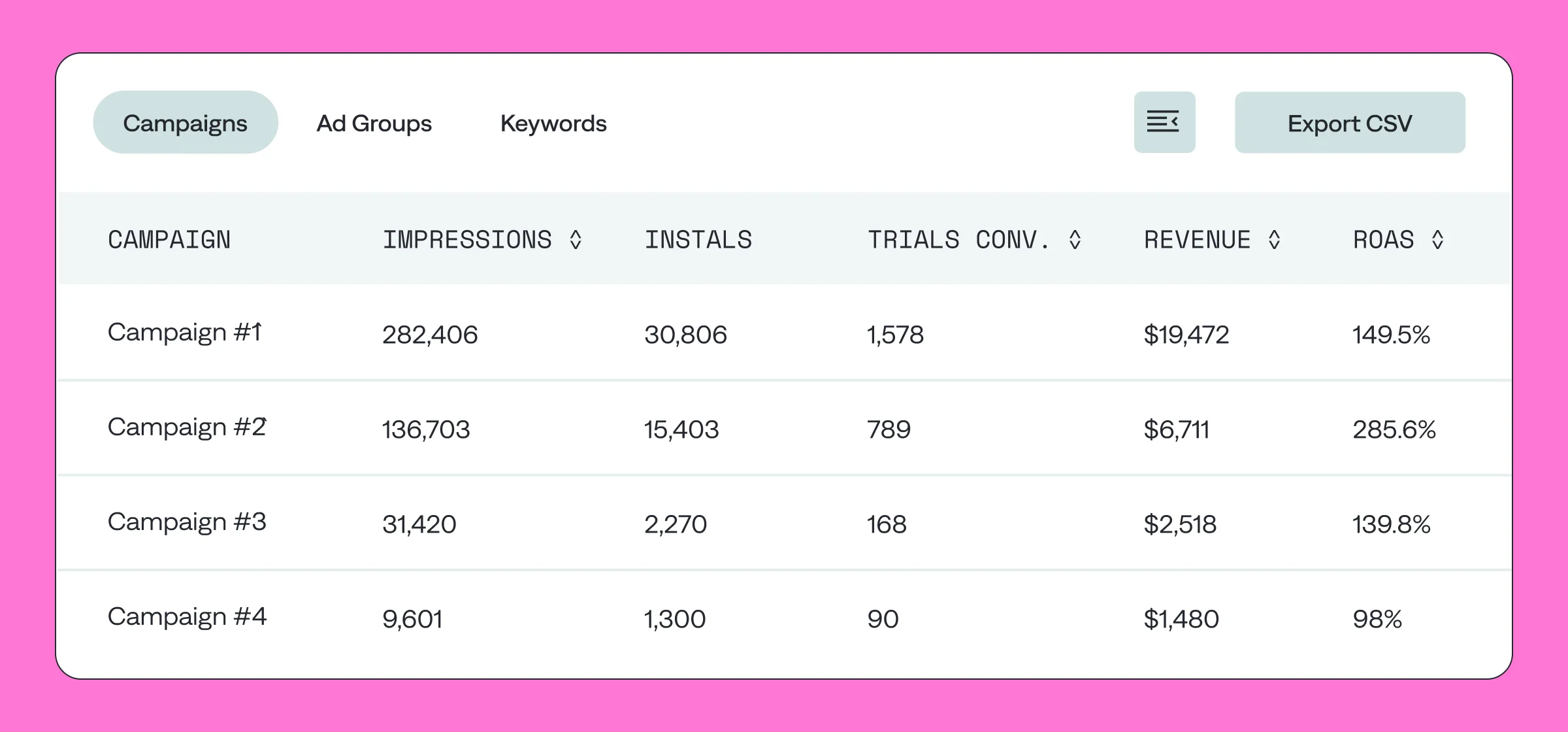
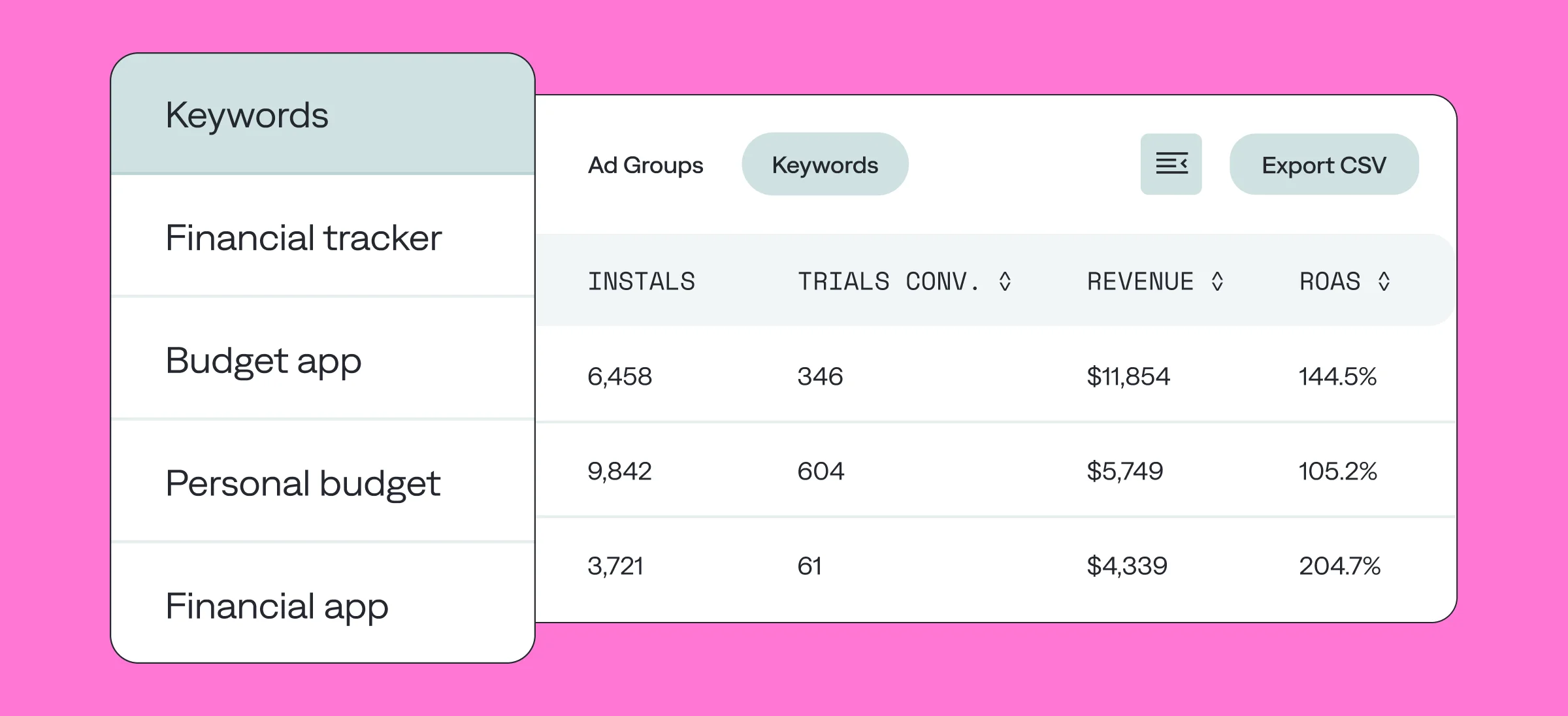
- Granular keyword level analytics: Qonversion provides detailed analytics at the keyword level, allowing app developers to understand which keywords are driving the most valuable users.
- ROAS attribution: Qonversion provides ROAS data on keyword, campaigh and ad group levels to help optimize ad campaigns and improve their ROI.
- Specific support for subscription apps: Qonversion is specifically designed for tracking subscription apps, while Apple Search Ads does not provide specific support for this type of app.
- Customization: Qonversion allows for customized reporting and the ability to track specific actions within the app, while Apple Search Ads does not offer these features.
Overall, Qonversion provides a more comprehensive and customizable tool for tracking the performance of Apple Search Ads campaigns for subscription apps.
Adjust Apple Search Ads: 10 actionable tips
Here are some overall tips for implementing a successful ASA campaign:
- Keep it simple – four campaign types are enough.
- Deprioritize retargeting. Retargeting is unnecessary and drains your budget without bringing good results.
- Deprioritize Search tab ads. The prevalance of search tab ads have made users almost numb to them, and they can result in the cheapening of your brand.
- Set the CPT higher than the CPA. This may decrease your volume, but you will get more quality installs.
- Use discovery campaigns at launch, but don’t keep them on all the time. Try to find hidden gem keywords. Testing keywords provides data that can help you truly understand what the search popularity is and the number of impressions associated with certain words.
- Use custom product pages. This is a great tool widely spread among mobile experts.
- Test your budgets. Don’t blindly follow Apple’s advice because you have a metric that is the complete opposite of theirs. You are trying to get better users at a lower cost and they are trying to get you to spend as much as possible – remember, their job performance is based on them getting more money out of you. Therefore, do your own testing.
- Send more traffic to the app stores. User journeys almost never begin in stores. Therefore, you have to go out and bring people to your app page.
- Use ASA to support each new round of Apple Search Optimization. Keyword optimization is not going to give you more visibility unless you’re supporting it with ASA (if you’d like to learn more on it, it’s better to reach out to a dedicated ASO agency).
- Spend your budget on users, not on installs. What happened after the install is also important to know. So this is where Qonversion is coming in to really help to optimize campaigns towards those in-app events.
Conclusion
Apple Search is a great user acquisition channel, because you’re advertising to a user who is already interested in an app. Following our advice, you will create successful Apple Search Ads campaigns, reach a wider and higher-intent App Store audience than you ever could organically, and bring quality installs.
With Qonversion's Apple Search Ads attribution, it’s easy to track the most important performance metrics for subscription apps but low Conversion Rate (CR), or when a specific term has a high Cost Per Acquisition (CPA). In these cases, reducing your bid can help you maintain a lower CPA while still capturing valuable traffic. Bid optimization requires ongoing monitoring and adjustment based on the performance of your campaigns. Regularly review your bid strategies and make adjustments as needed to ensure that you’re getting the most out of your budget.), such as conversion rates, retention, churn, MRR, ARPPU, revenue, and refunds. You can easily get the right insights about your ASA campaigns and you can optimize your marketing strategies and reach higher results. If you find this article useful or have any questions or comments, we’d love to hear from you in our community or chat!

Ryan
Qonversion Team
Ryan contributes insights on mobile app monetization strategies.