In our latest webinar, Qonversion CEO Sam Mejlumyan and ngrow.ai's Business Development Executive Gurgen Sarkisyan unpacked the nuanced world of onboarding optimization. The central premise? Onboarding is not just the first step — it’s the decisive one.
Why Onboarding is Key to Revenue?
It’s not the first time we say this, but it’s worth repeating: roughly 80% of your app’s revenue potential is forged during the onboarding. It’s where user expectations collide with app experience. It’s when users see and feel your app and convert to a trial period or paid subscription. If you skip onboarding or approach it half-heartedly, you’re not just leaving money on the table, you’re setting the table on fire. Assuming you already have an established onboarding process, we will unwrap how to make it even better and how to communicate with customers post-onboarding to reengage them and reduce the onboarding churn.
Onboarding Optimization Framework
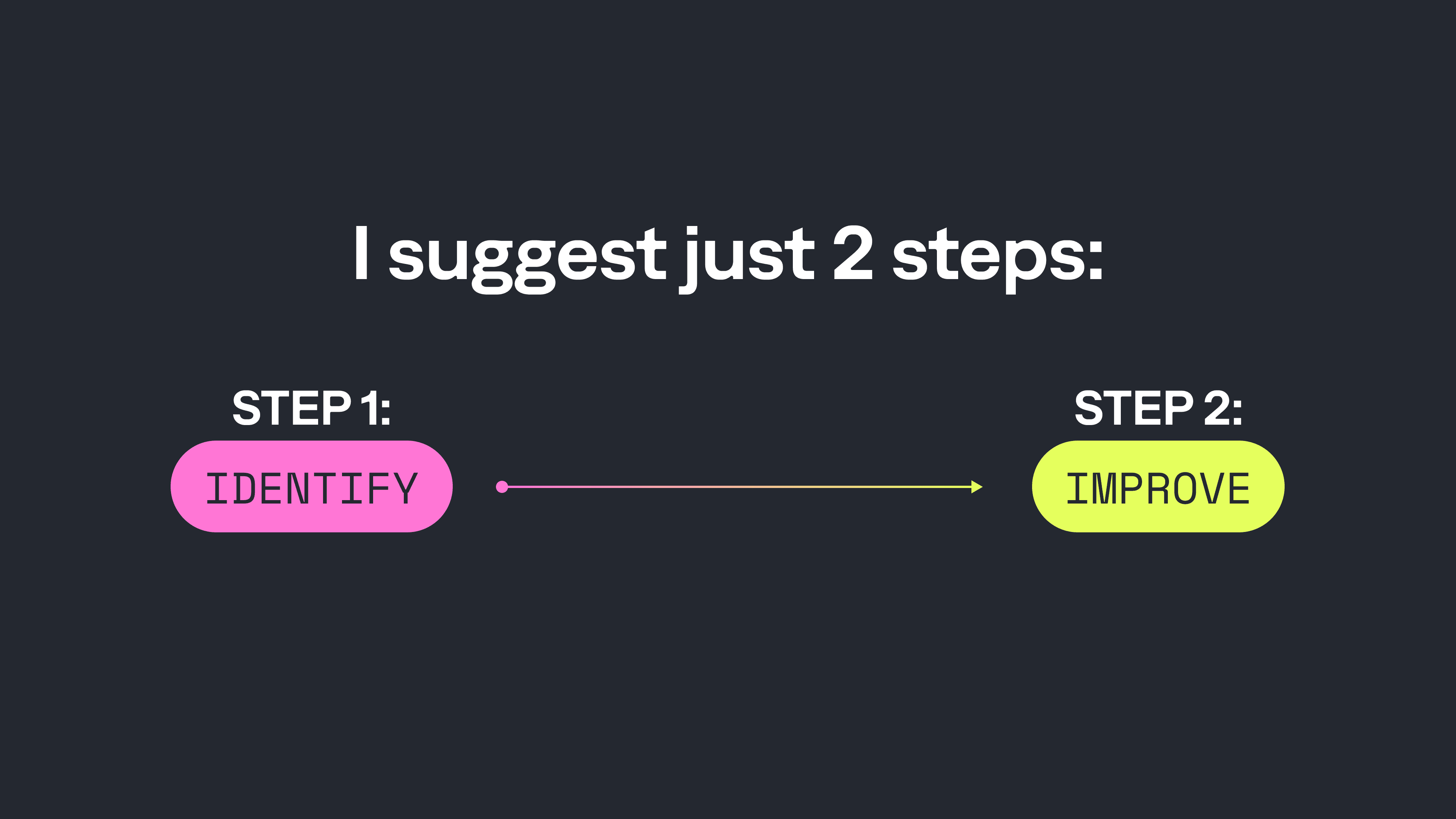
There are many ways to approach onboarding optimization. In one of our recent webinars, we discussed every app stage your users go through in great detail. We touched upon the onboarding as well and suggested A/B testing ideas for this stage specifically. For this webinar, we zoomed out a little and Sam prepared an onboarding optimization framework that’s both practical and powerful. If you implement this framework during the upcoming 3-6 months and top it with the onboarding A/B test ideas, we guarantee you will see the numbers growing. There are only two steps, and they work for all apps.
Step 1: Identify
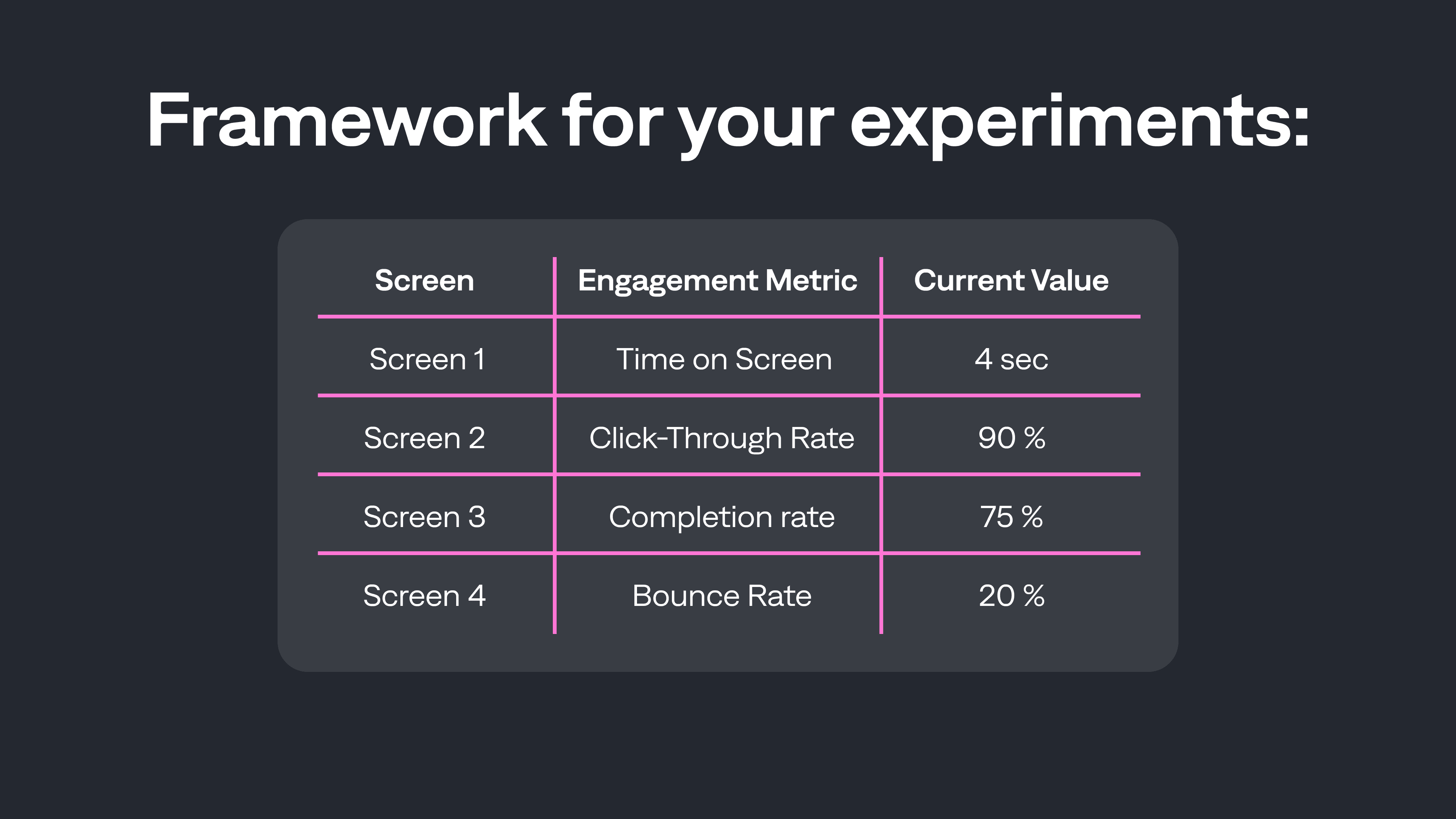
Map out your entire onboarding flow, screen by screen, and gather screen-level metrics:
- Conversion per screen
- Engagement (Time on Screen, CTR, Completion, Bounce Rate)
Each screen might serve a different function, so assign metrics accordingly. The result of your analysis and benchmarking will look like this:
Step 2: Improve
Don’t make improvements until you understand your metrics. Once you know where the friction is, address it with precision:
- Remove problematic steps
- Reorder screens
- Revise visuals and copy
- Redesign high-friction moments
As for the CTA button, it should stay consistent across screens. When it looks different or appears on different parts of the screen, it forces unnecessary mental load on the user and drives frustration. So keep it at the same place and test variations in text, color, shape, or animation.
All of the improvements you make will focus on two main goals: strategic and supporting. An example of this:
- Strategic Goal: Increase the number of users reaching the paywall.
- Supporting Goal: Boost engagement with each screen.
We suggest alternating your testing cycles weekly: one week for strategic adjustments, the next for paywall experiments. This modular approach makes experimentation manageable, especially for apps with smaller audiences.
Handling Drop-Offs Post Onboarding
What happens when users reach your paywall but don’t convert? In reality, only 5% of users typically buy at first exposure to the paywall. The rest? They need thoughtful nudges. And for smaller app teams, it becomes a full-time marketing job to set up a scalable notification system that will re-engage the churned users. When done right, the post-onboarding messaging can add 5-10% in incremental revenue, and that’s where nGrow’s team helps app owners.
Why does the post-onboarding communication matter?
- 95% of users aren’t buying. This means you spend money on user acquisition, but most of these users do not convert into paying subscribers.
- Sending emails and push notifications is affordable and scalable
- Post-onboarding communication adds 5-10% customer retention and incremental revenue
What Impacts Conversions the Most?
- Timing: The right message at the right moment.
- Personalization: Referencing user behavior to tailor outreach.
- Segmentation: Targeting based on in-app actions.
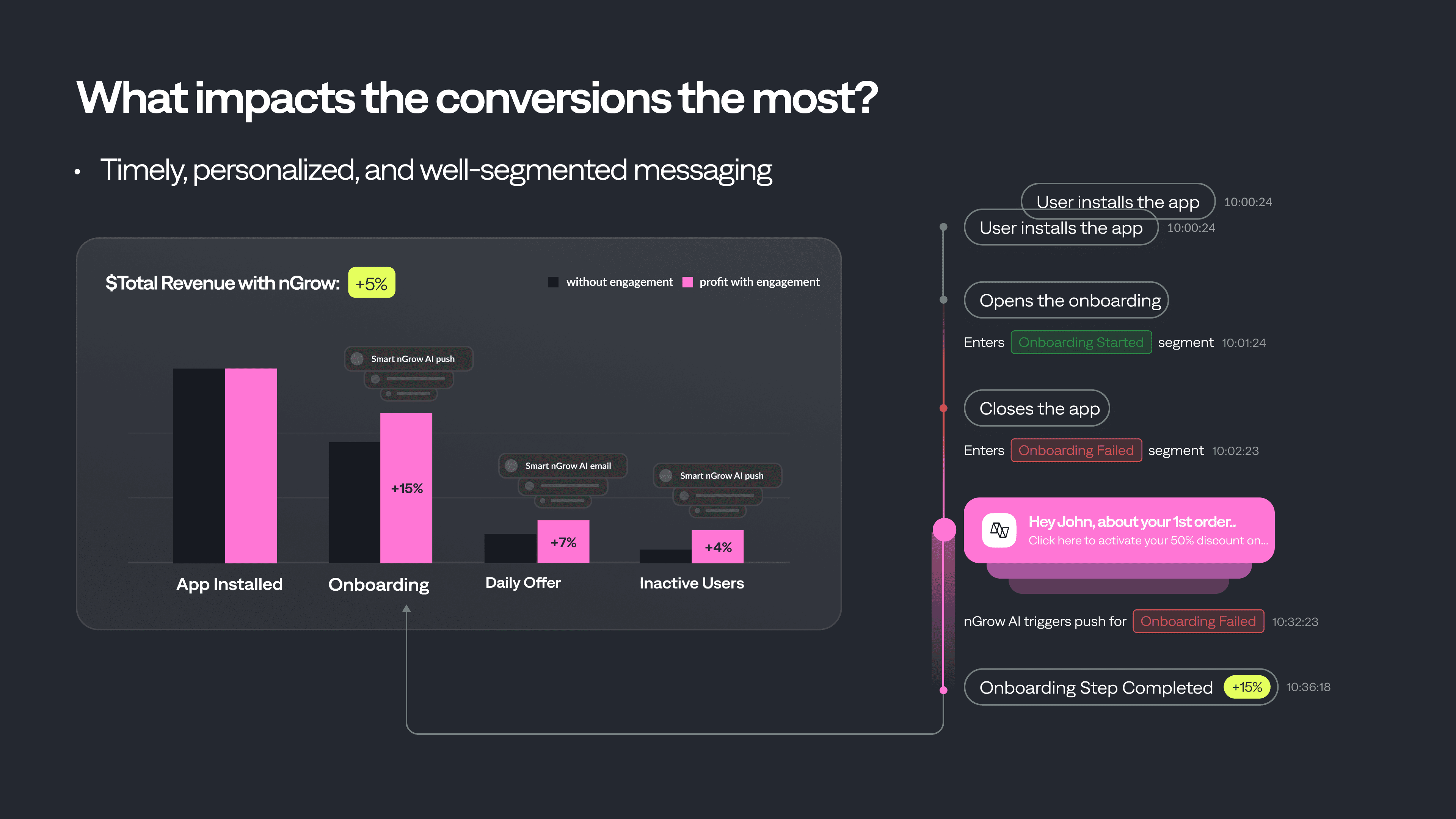
Picture this as an app user: You download an app to track your morning run. The app immediately bombards you with questions: your current weight, the color of your running shoes, the hour of your next run. You get tired. You’ve already installed three similar apps that are supposed to help. What sets a great app apart from a mediocre one is the data. A great app knows exactly when and where you’ve dropped off. That’s why they will respond with:
- A same-day push notification — “Hey! You didn’t pick your running hour for tomorrow.”
- A follow-up email — “The next step is to choose your running court!”
And this is essentially the core of effective personalized communication. It reflects where users left, automates the response, and fuels a self-sustaining loop of re-engagement that nudges users back into your onboarding funnel.
Scaling Personalization with AI
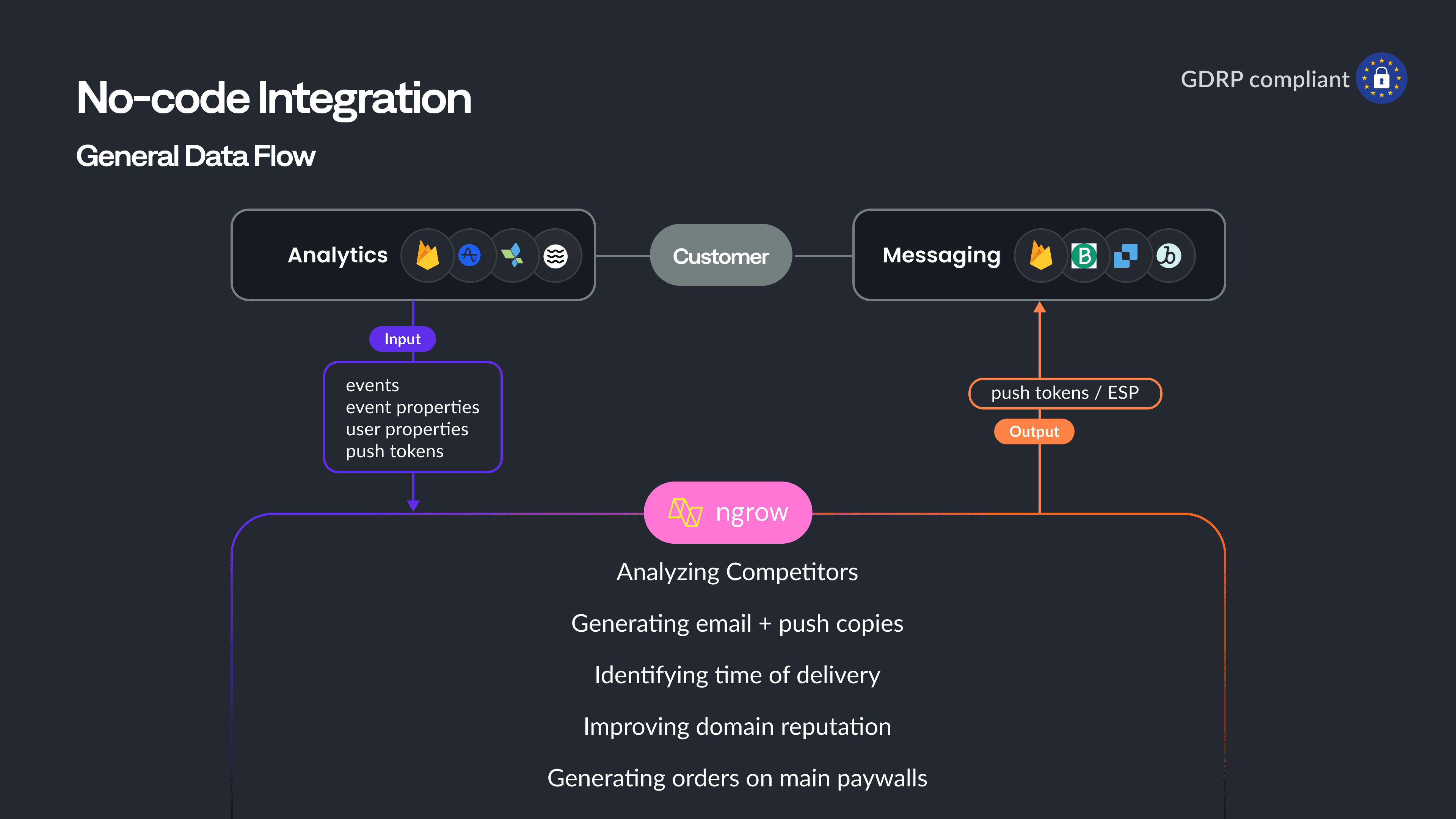
nGrow enables real-time A/B/n testing for emails and push. You can upload multiple copy variants, multiple headings, and let the system run and optimize based on user engagement. This not only streamlines operations but gives data-driven clarity on what works.
How to Automate the Communication Funnel?
- Step 1: Set up trigger campaigns based on in-app behavior
- Step 2: Auto-rotate creatives for optimal engagement
- Step 3: Route users to personalized paywalls
Important Question: When to Ask for Notification Permissions?
It's a question nearly every mobile team faces: When is the best moment to ask users for push notification permissions? Ask too early, and users reflexively hit "No." Ask too late, and the moment of relevance is gone.The data-backed answer? Ask early, but do it intelligently.Gurgen shared that default system prompts perform poorly—users are bombarded with messages and tap "No" without a second thought. Instead, effective teams are implementing a pre-permission screen within the first steps of onboarding. This screen isn't just a formality. It's a mini pitch: explain what types of notifications you'll send (e.g., order updates, activity reminders, discounts), how often, and why they’ll matter to the user.
This approach accomplishes two things:
- Contextual relevance: You're catching the user at a time when they're still interested and exploring your app.
- Trust-building: By being transparent, you reduce skepticism and increase opt-in rates.
And why during onboarding? Because it's the moment of highest user intent. They've just downloaded your app—they're curious, engaged, and forming first impressions. A brief, well-designed permission request embedded into this flow feels native, not intrusive.
Key Takeaways
- Map your metrics before making changes.
- Test strategically: alternate between the onboarding flow and the paywall.
- Post-onboarding automation is revenue infrastructure, not just retention fluff.
- Personalize communication through segmentation and behavioral triggers.
- A/B test your re-engagement messages and let the data guide you.
For more real-world examples and growth tools, check out the full recording and contact us if we can be of any help.

Tatev
Content Manager at Qonversion
Tatev creates content that helps mobile app developers optimize their subscription strategies.