Google hosts its I/O conference annually, where it announces updates to the Google Billing Library. Since writing this article, a new Billing Library has been released — Google Play Billing Library 7. Make sure to check it out to stay up-to-date with the latest features. If you're interested in the updates from an earlier version, continue reading to learn about the enhancements in Google Play Billing Library 4
At the end of May 2021, Google announced Play Billing Library version 4.0.0 which will open up new opportunities for growing apps’ engagement and revenue. With these updates, app owners will access a number of new features for in-app purchase managing and monetization strategy improvements. Among these features is the ability to sell a few items at a time from the cart and multiple products as part of a single subscription.
In our previous blog post, we shared in great detail and gave practical advice on how you can integrate Google Billing Library into mobile applications. In this article, we will outline major changes in Google I/O 2021 and the updates in Google Play Billing Library 4.0.0.
Major Updates in Google Play
Whether you're a developer looking to optimize your app’s performance or a business aiming to enhance your monetization strategy, take a closer look at what's new in Google Play and what it means for your application.
Subscription Duration Settings and Prepaid Plans
Google announced plans to release prepaid plans, which allow you to offer users the possibility to subscribe for a fixed period of time. Users can also set the duration of subscriptions by extending their access at any time prior to or after plan expiration.
15% Service Fee for the First $1M Revenue
Google’s fee for the first $1M revenue is now 15%. If you are not enrolled yet, this is the right moment. This program is applicable for every Google Play developer, regardless of the size of the company and total revenue, to enroll you just need to take a few steps. This reduction is aimed to allow each developer and app owner to boost success and invest more resources into the growth – and this chance should not be missed.
Peers Benchmark
As analytics nerds, we couldn’t pass by the announced Google’s peers comparison tool. The company launched benchmarks that allow you to compare your app’s metrics such as MAU/DAU, ARPDAU, Average purchase value, Users, User acquisitions, and others vs those of similar apps (to learn more on these KPIs read the blog post on essential mobile app metrics). From now on, Android developers and marketers can benchmark their app engagement and monetization metrics against up to 250 competitors.Although this tool is meant to examine overall app trends, essential in-app purchase metrics are missed. Information about the revenue trend, install-to-trial conversion, trial-to-paid conversion, trial and subscription cancelations rates could be found in our Qonversion report – from what we believe is the first-ever mobile subscription benchmark. At this moment only iOS app insights are available, but they are still informative to understand users’ behavior patterns.
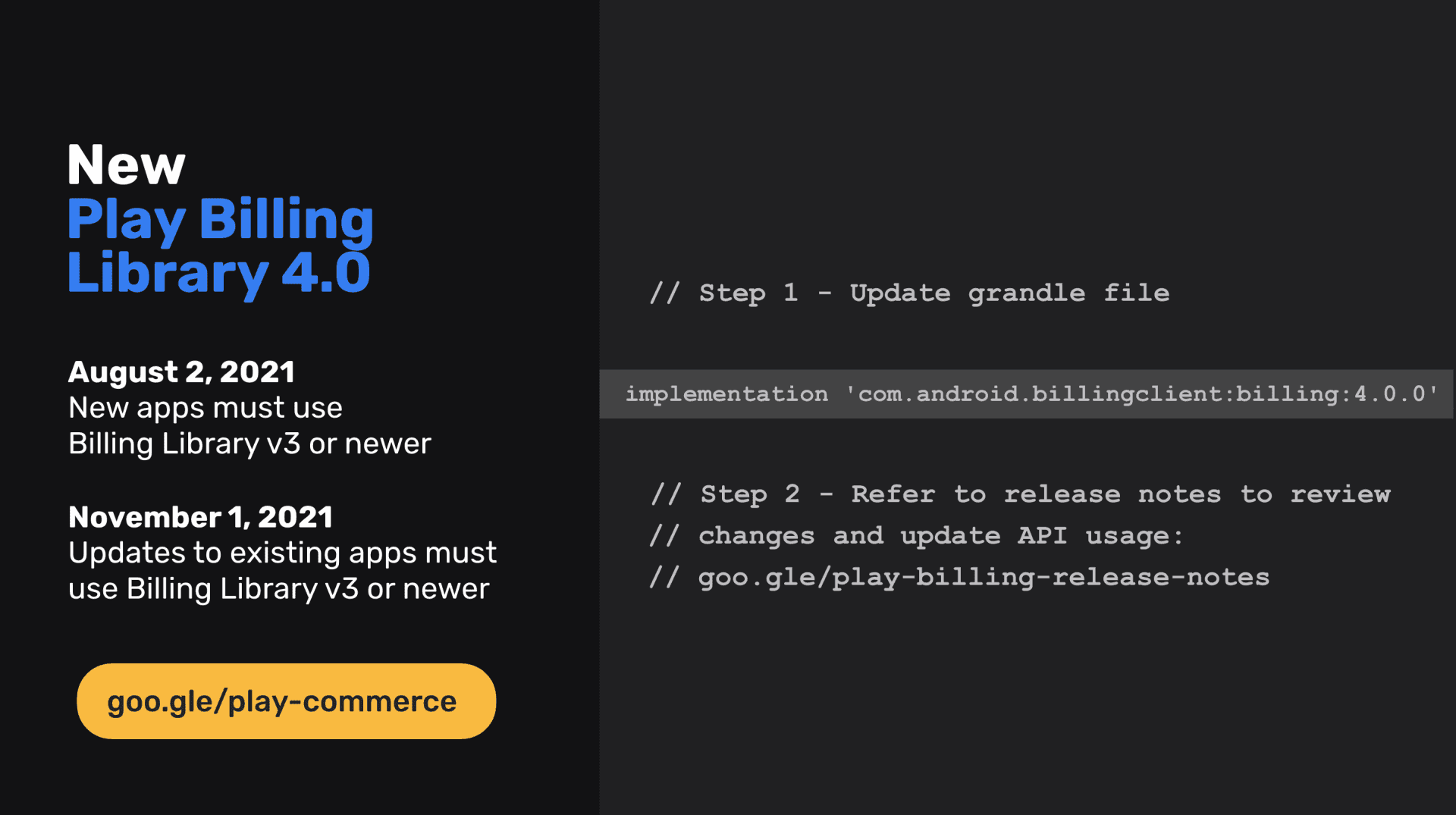
Please take a note: use of Google Play Billing Library version 3 or later is a must.
1. Background Threads Instead of UI
In the new version of the Library, callbacks methods are called on the background thread (in the previous version it was the main thread).
To make sure, just print the current thread title/identifier to the LogCat, for instance, in the onBillingSetupFinished callback:
For the Google Play Billing Library v4, the result will be as follows:
For the Google Play Billing Library v3 it looked like that:
We think this is the most significant update of the new version. You can’t interact with the UI layer right from the background thread before you switch back to the main thread. If you want to modify the UI from the callback, please don’t forget about it.
2. Retrieving previous purchases: queryPurchasesAsync() substitutes queryPurchases()The queryPurchases()) method is deprecated now. To retrieve all active subscriptions and non-consumed in-app purchases you should call the queryPurchasesAsync()) method. To get a response from the method implement BillingClientStateListener in your class and override the onQueryPurchasesResponse function:
3. Handling Subscriptions Upgrade/Downgrade
Previously to update subscription you had to provide skuDetails, old purchase sku, old purchase token and ProrationMode (optional):With Google Play Billing Library 4.0.0 to update subscription you have to call BillingFlowParams.Builder.setSubscriptionUpdateParams()) and pass an instance of SubscriptionUpdateParams as a parameter. Note that the setOldSku() method has been removed.
4. Multi-Quantity Purchases
Google announced plans to release a new way of in-app purchases: selling multiple consumable in-app products at the same time. You can customize which product is available for multi quantities in the Google Play console. Users will be able to choose the number of digital products they want to purchase right from the cart.
It optimizes the way you sell and simplifies in-app purchases for users: they can purchase a few packages of items (coins, mana points, or anything else) in one click instead of ordering it several times. To get the quantity of the purchased item, call new methods: Purchase.getQuantity()) and PurchaseHistoryRecord.getQuantity()).
Multi-line subscriptions (not released yet)
In addition to the previous feature, Google will allow selling multiple products as part of a single subscription. Users can manage (add, remove, upgrade or downgrade) products during the subscription lifecycle.
In two words, users will be allowed to subscribe to different content threads – for instance, lessons to HIIT and stretching courses as one subscription, and make changes in this bundle during the subscription period.
To get product ID of in-app purchase or subscription use Purchase.getSkus()) and PurchaseHistoryRecord.getSkus()). Earlier you would call Purchase.getSku() and PurchaseHistoryRecord.getSku() that are not actual anymore.
Does Qonversion SDKs Support New Versions of Google Play Billing Library?
At Qonversion we are committed to ensuring compatibility with the most recent updates as quickly as possible. Qonversion SDKs support the latest versions of the Google Play Billing Library. The most recent update untill now is Google Play Billing Library 7 and you'll find updated SDKs for Android, Unity, Flutter, React Native, and Cordova platforms in our migration guide.
Wrapping Up Google Play Billing Library Updates
The new Google Play Billing Library 4.0.0 optimizes in-app purchases processes and unlocks new capabilities for products distribution. These are great tools for growing apps’ revenue, but you should implement it with a strategic approach.
The fact that users are free to choose the duration and the set of the subscription means that they can predict the period this application or exact feature will be relevant for them. To retain this user, you need to explain the long-term value of your feature and suggest to users new offerings, incentives, discounts – anything that they might find as a good reason to renew. You can also use Google Play promo code as a mechanics. To simplify this process and win back lapsed customers, send automation notifications triggered by user behavior. Experiments with your product offerings, trial, and subscription duration also could be your winning strategy. With our A/B testing tool, you can define the most attractive product bundle and see how it affects your revenue. Don’t miss the chance to analyze and test – it might be time-consuming, but this is the only way to make smart decisions that work for your business. At Qonversion we are happy to bring our expertise to accelerate your subscriptions app business. Learn more on how you can increase your revenue with Automation, Analytics integrations, and A/B Testing for in-app purchases, and more.

Maria
Qonversion Team
Maria creates content about in-app purchases and subscription testing.