Let’s be real: Apple refunds can quietly drain your revenue — especially when they’re auto-approved by default. Refund Keeper fixes that so you keep what you’ve earned.
If you’re tired of watching Apple auto-approve refunds you could’ve contested, we’ve got news: Refund Keeper just got seriously upgraded 💅
What's new in Refund Keeper
Dedicated Section in the Sidebar
Find Refund Keeper right from your main navigation. No more digging through Settings. It's right where it should be.

Refund Analytics Dashboard
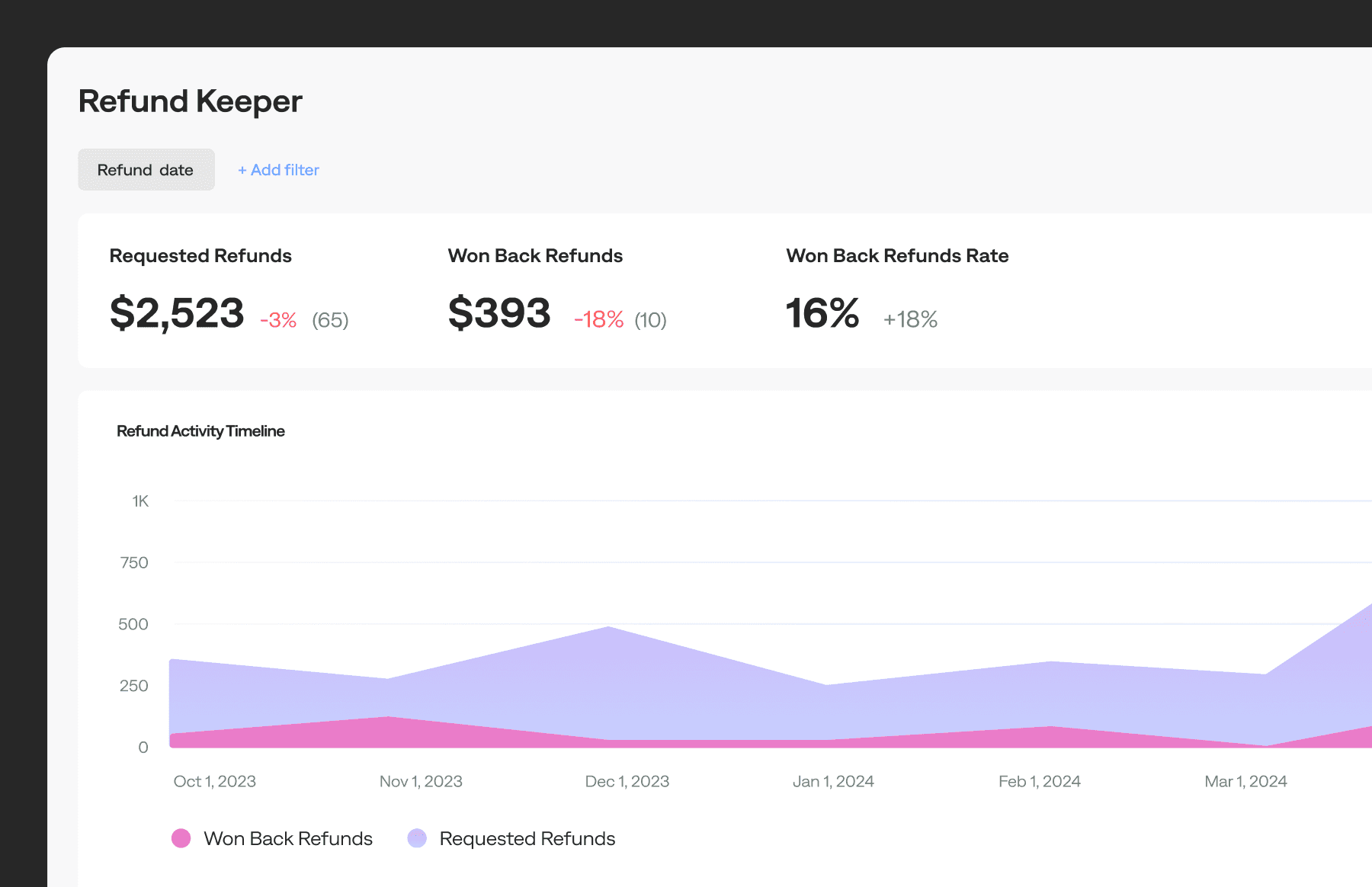
Get a crystal-clear view of how refunds are impacting your revenue, and how much Refund Keeper is saving you:
- Requested Refunds – The full volume and dollar value of refund requests Refund Keeper handled
- Won Back Refunds – How many were stopped, and how much revenue stayed in your pocket
- Won Back Refund Rate – What percentage of total refund requests were declined thanks to Refund Keeper
And of course… the chart. A sleek refund timeline so you can spot trends, wins, and potential leak points instantly.
Refund Details Data Table
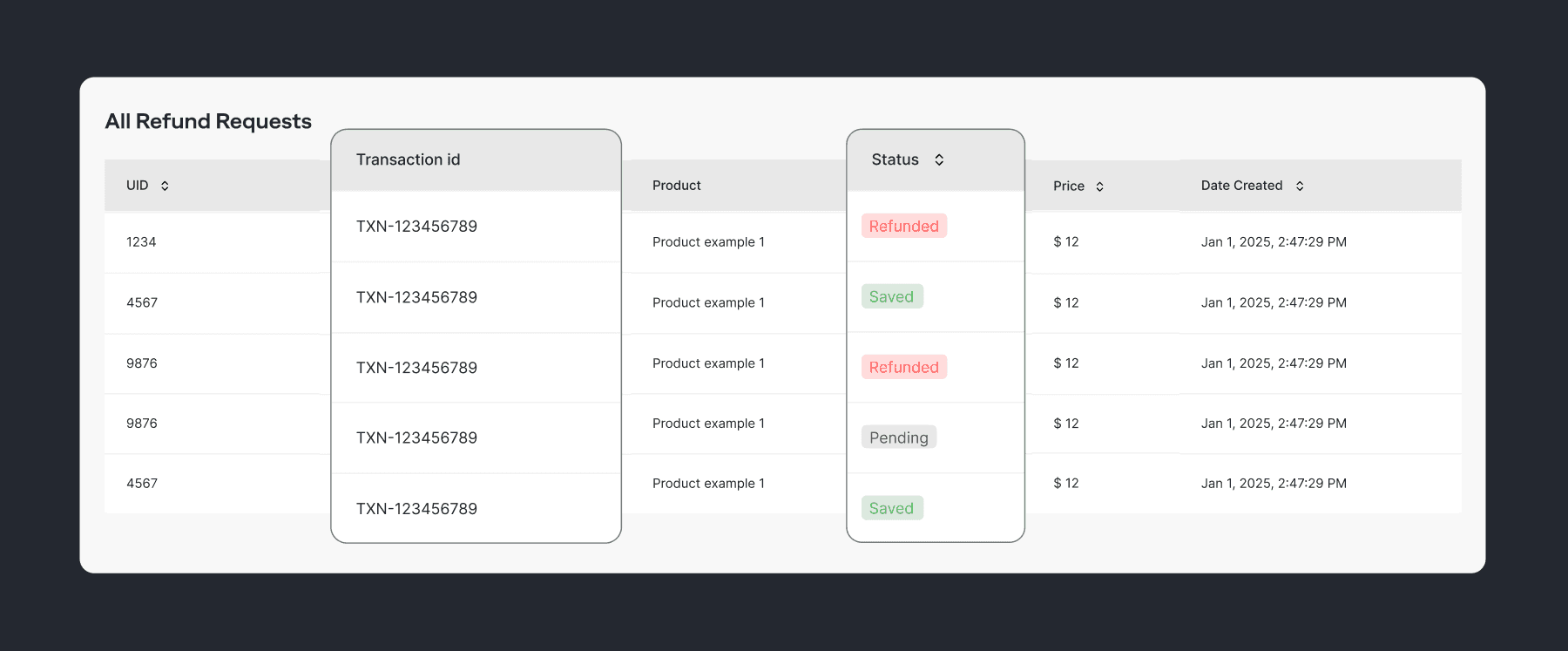
All your refund data, all in one place. View every request with: product, user, price, status, and more
Available on Growth Plan Only
If you're already on Growth, you’re good to go. If not? This might be the upgrade that pays for itself.Set it. Track it. Keep your revenue.

Polina
Product Marketing Manager at Qonversion
Polina leads product marketing at Qonversion, helping app developers understand monetization best practices.