Apple introduced some exciting updates at WWDC 2020 that impact in-app purchases, and we’re here to break them down for you. Whether you’re focused on handling refunds more effectively, using server-to-server notifications, or navigating the transition to SKAdNetwork in iOS 14, these changes will help you optimize your app's performance. Let’s go!
Handling Refunds
If a user experiences an issue with your app’s content, they can request a refund directly from Apple. While refunds only affect a small percentage of transactions, managing them effectively can further reduce this percentage and improve your customer experience.
Here’s a typical scenario:
- A user makes a purchase.
- The purchase was accidental, so they contact Apple for a refund.
- Apple reviews the case and issues the refund.
- You might not be immediately aware of the refund and may not know how to respond if the user contacts you directly.
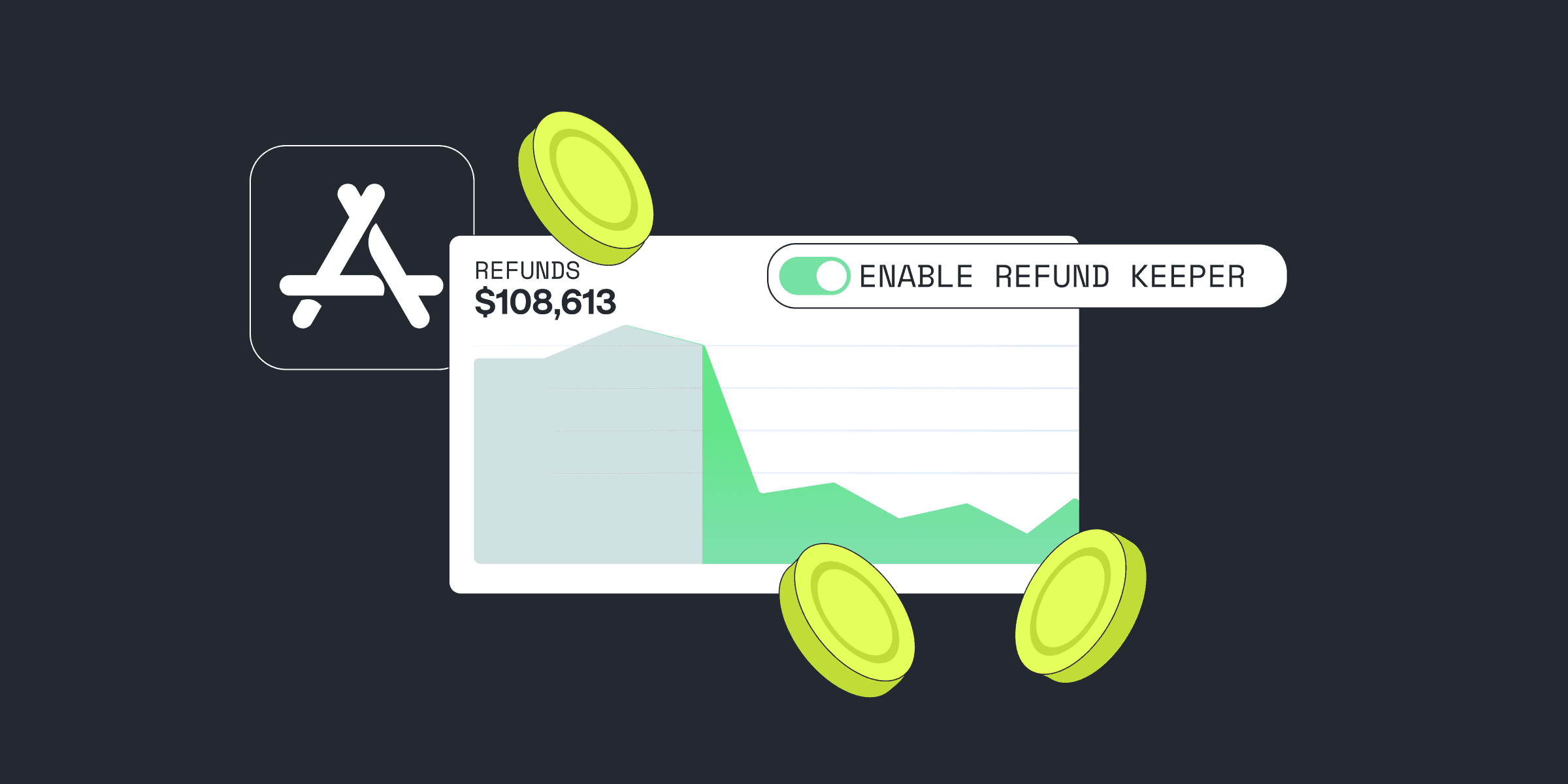
Thankfully, Apple has simplified handling refunds with a new server notification system. You’ll now receive instant updates via server-to-server notifications when a refund occurs. This enables you to quickly adjust access to premium features or simply acknowledge the refund in your app.
To set this up, head to App Store Connect and input your server's URL in the "URL for App Store Notifications" section. Apple sends a refund notification when applicable, giving you all the details you need, such as the transaction ID, refund date, and reason.
You are notified immediately with a JSON post upon a status change. If Apple does not get an HTTP OK response from your server, it times. For consumables, non-renewing subscript will retry threions, and for non-consumables, you’ll receive a refund notification. For auto-renewable subscriptions, you receive a cancel notification.
Setting up your own server feels like too much — use Qonversion to manage refund notifications easily by passing Qonversion’s endpoint to the App Store.
Setting up App Store Server Notifications
Set up URL in App Store Connect (Navigate to your apps page -> enter your endpoint into the “URL for App Store Notifications” section).
- Make sure your endpoint meets app transport security requirements outlined in Apple developer documentation
- Receive notifications
Refund notification payload for consumable, non-consumable, and non-renewing subscriptions contains:
original_transactoin_id: what transaction was refundedcancelation_date_ms: when it was refunded cancelation_reason: 0 or 1, 1 means the customer requested the refund due to an issue within the appbid: Bundle identifier to know which app you received a refund for product_id – Product that was canceledpassword – shared secret for the app. You should use it to verify it’s from Apple.
If you received a refund notification, you could show the in-app message to your user providing the details:

Building your own server might be time-consuming, and it’s probably not what you want to focus on when building an app with in-app purchases. You’ll probably be better off focusing on your product.
The good news is that you can use third-party services like Qonversion.io to handle your receipts with out-of-the-box support for Apple server-to-server notifications. After integrating the Qonversion SDK, all you need to do is pass the Qonversion endpoint link for your app to the App Store. Qonversion will handle the rest.
Managing subscriptions
Key events in the subscription life cycle:
- Subscribe (acquire subscriber for the first time)
- Auto-renew (successful or unsuccessful)
- Disable / Enable auto-renew
- Upgrade / Downgrade
- Cancel
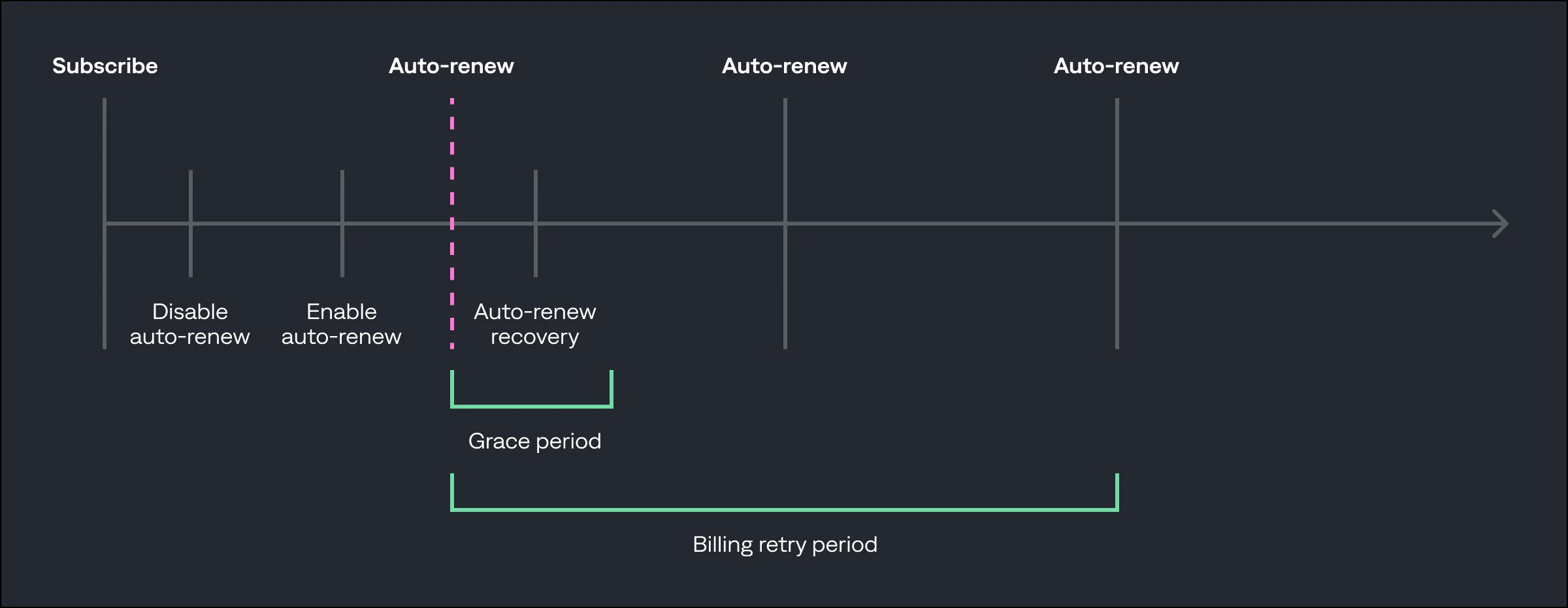
In-app auto-renewable subscription timeline, WWDC 2020
Server notification is the recommended method to get data about your subscription status changes. You receive the data only when you need it.
Key payload components:
- auto_renew_product_id – what subscription is this notification for
- notification_type – type of the event you are receiving (see below for more details)
- password – shared secret for the app
- bid – Bundle identifier
- unified_receipt – object that mimics the response of verifyReceipt
notification_type values:
- “INITIAL_BUY” – initial purchase of the subscription
- “INTERACTIVE_RENEWAL” – customer renewed using your app’s interface or Manage Subscriptions
- “DID_CHANGE_RENEWAL_STATUS” – change in the subscription renew status, e.g. toggling auto-renew on or off.
- “DID_CHANGE_RENEWAL_PREF” indicates that the customer made a change at the description period, end of the subs, such as a downgrade.
- “CANCEL” — The customer contacted Apple support and was refunded.
- “DID_FAIL_TO_RENEW” – subscription failed to renew due to a billing issue.
- “DID_RECOVER” – subscription was successfully renewed from billing retry or grace period.
- “DID_RENEW” – new notification Apple added later in 2020 to notify about renewal.
DID_RENEW is being sent after each successful auto-renew. Since renewals are critical events, you should ensure successful updates with a double-check:
- Enable App Store server notifications to receive DID_RENEW
- Schedule one call to verify receipt at the expiration date
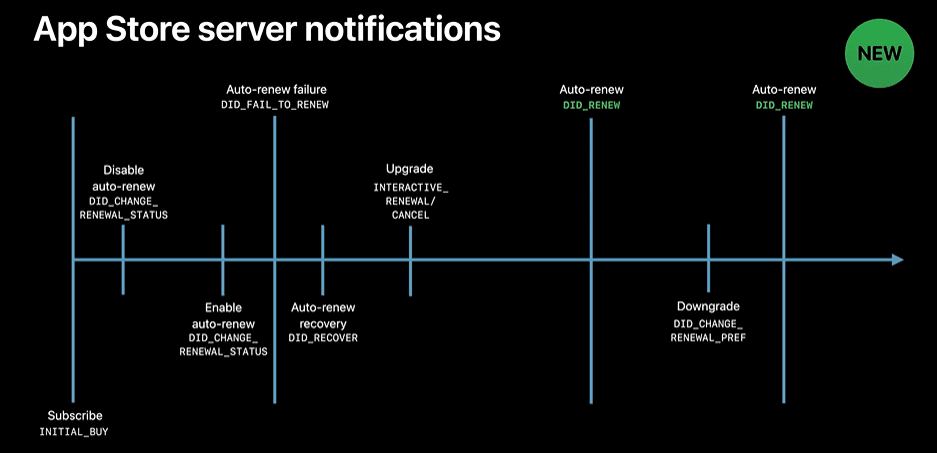
In-app subscription timeline and App Store server-to-server notification events
SKAdNetwork
SKAdNetwork allows for the measurement of the effectiveness of ads while respecting customer privacy. Since Apple is moving to opt-in IDFA in iOS 14, the advertisers and ad networks must embrace SKAdNetwork.
SKAdNetwork involves three stakeholders: Ad Networks, Source Apps, and Advertising Apps.
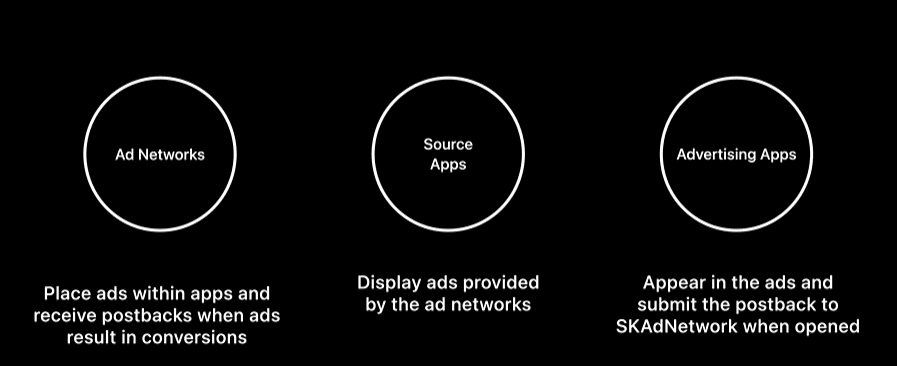
Ad network places the SKAdNetwork data inside the ad for the advertising app; then it displays the source app.
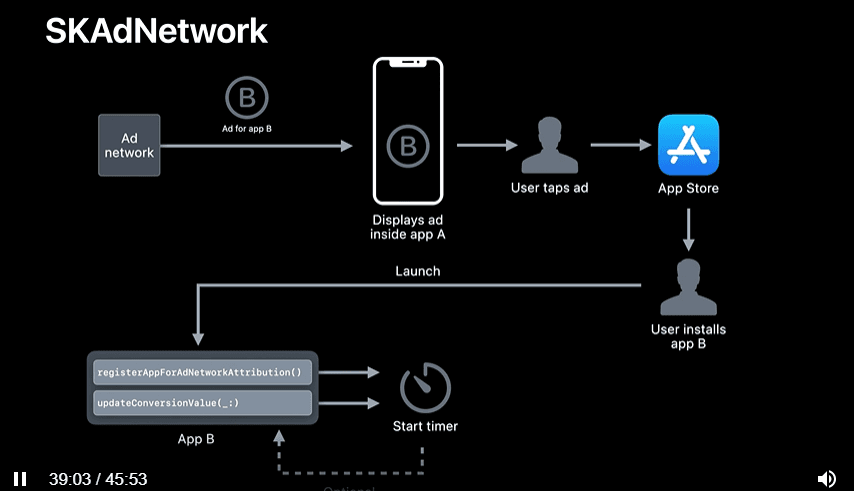
Ad network sends the following data when displaying the ad:
- Ad Network ID (registered with Apple)
- Campaign ID from 1 to 100 (for ad networks to measure their campaign effectiveness)
- Advertising App ID (the app that is advertised)
- Timestamp (generated at the time when an ad is displayed)
- Nonce (unique random ad ID to avoid double counting)
- Signature (generated all the other pieces of data)
- Version (“2.0”)
- Source App ID (ID of the app that is displaying the ad)
The advertising app (app B) should call the post-back API upon its first launch. registerAppForAdNetworkAttribution and updateConversionValue are actions in your app, like a free trial start or an in-app purchase.
The details of the postback that StoreKit sends to the ad network once the process is complete:
- Ad Network ID
- Campaign ID (1-100)
- Advertising App ID
- Transaction ID
- Signature
- Version (“2.0”)
- Redownload (to show if it’s the first time the consumer purchased the app or they previously purchased it and installed it again)
- Source App ID (optional)
- Conversion Value (optional)
Advertising apps prepare the postback when the app first launches, using either the registerAppForAdNetworkAttribution API or updateConversionValue API.
It is hard to forecast how moving from IDFA to SKAdNetwork for mobile attribution will affect marketing ROAS for mobile apps.
For advertisers, actions like starting a free trial or completing a purchase are crucial in measuring conversion value through SKAdNetwork. While the full impact of moving away from IDFA remains to be seen, integrating a tool like Qonversion ensures you have accurate data on subscriptions, refunds, and conversions across your marketing and analytics platforms.
Wrapping Up
Handling refunds, managing auto-renewable subscriptions, and transitioning to SKAdNetwork may seem overwhelming at first, but with the right tools in place, you can simplify these processes and focus on growing your app. Leveraging server-to-server notifications and using Qonversion will keep you informed and efficient, while also helping you navigate the latest changes in iOS.Get your hands on accurate subscription data, including renewals, refunds, and trial-to-paid conversion in your attribution and product analytics platforms, is to use Qonversion. You can check all available integrations here.

Michael
CEO at Qonversion
Michael leads Qonversion with a vision to help mobile apps maximize their subscription revenue.